I have tried to stream for a few days and long hours and it has finally worked, but alas there is lag
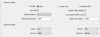
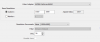
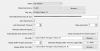
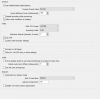
I have screen capture of my setup for streaming, also my internet speed is counted as 2.8mb/s and i accounted that in my settings
The specific is problem is only lag for the stream viewers/and on stream preview, and after time the stream freezes at a certain point, It looks as i'm everything is teleporting on my stream.
I have tried different fps,resolution,bit rate/ buffer ,etc...(although i was testing with no direction so it helped very little)
and have tried many tutorials but still can't fix this one problem
Edit: I live in louisiana with no servers decently close so i have tried dallas and miami and they both don't help the lag at all.
I have screen capture of my setup for streaming, also my internet speed is counted as 2.8mb/s and i accounted that in my settings
The specific is problem is only lag for the stream viewers/and on stream preview, and after time the stream freezes at a certain point, It looks as i'm everything is teleporting on my stream.
I have tried different fps,resolution,bit rate/ buffer ,etc...(although i was testing with no direction so it helped very little)
and have tried many tutorials but still can't fix this one problem
Edit: I live in louisiana with no servers decently close so i have tried dallas and miami and they both don't help the lag at all.