

Hello Everyone,
where shell i start. Im using OBS for near a Year now and at the beginning i didnt had much problems, but actually i could go crazy. I think the Problems started with the change of my Graphics Card ( my old 560 TI crashed and I borrowed an 570 from a friend ). Every Game after the Change worked better than before but i still was in pause with my Stream (Mainly because i wanted a new Twitch Profile). Now Last week i finished my new Profile on Twitch and wanted to Start Streaming and well yeah it was laagy for the Viewers. So I started to figure out the Problem. I rechecked my Internet Conection (Speedtest.net showd me over a few days: Download 45,5MBit Download 5,6MBit) I also checkd my Connection on pingtest.net and got an A grade Connection. So if the Internet is not the Problem lets deaktivate the Antivirus Programm: did it but nothing changed.
I also Checkd the Port in my Router all ok. So at last I found out that one of my HDD is defekt. I changed the defekt HDD reinstalld Windows 8.1 and have the Same Problem again. I really think that my PC is to weak to handle Streaming.
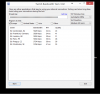
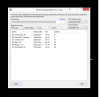
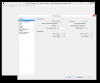
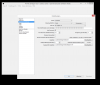
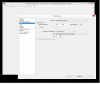
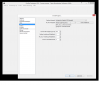
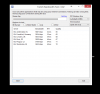
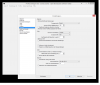
PS: in OBS i dont have Frame Drops and i have a Green upload every time. I dont get it.... As Enclose are the TwitchTest programm screenshots and the Configutation of my OBS.
Sorry for my Broken English. Hope to hear from anybody :D
My Hardware: Motherboard ASrock Z77 Pro3
CPU Intel Core I5-3570K
RAM DDR3 Kingston 1333 16GB
VGA NVidia GTX 570
Windows 8.1
EDIT: I want to Stream League of Legends or Cities:Skyline or World of Warcraft and LoL or WoW werent a problem before but now they are :/
EDIT 2: I also tried an other program calld Xsplit Gamecaster there i had the same problems with 720p but with 360p it worked... but thats not worth to stream xD
EDIT 3: https://gist.github.com/168d9898d7273124d189 the missing logfile. Sorry for that.
where shell i start. Im using OBS for near a Year now and at the beginning i didnt had much problems, but actually i could go crazy. I think the Problems started with the change of my Graphics Card ( my old 560 TI crashed and I borrowed an 570 from a friend ). Every Game after the Change worked better than before but i still was in pause with my Stream (Mainly because i wanted a new Twitch Profile). Now Last week i finished my new Profile on Twitch and wanted to Start Streaming and well yeah it was laagy for the Viewers. So I started to figure out the Problem. I rechecked my Internet Conection (Speedtest.net showd me over a few days: Download 45,5MBit Download 5,6MBit) I also checkd my Connection on pingtest.net and got an A grade Connection. So if the Internet is not the Problem lets deaktivate the Antivirus Programm: did it but nothing changed.
I also Checkd the Port in my Router all ok. So at last I found out that one of my HDD is defekt. I changed the defekt HDD reinstalld Windows 8.1 and have the Same Problem again. I really think that my PC is to weak to handle Streaming.
PS: in OBS i dont have Frame Drops and i have a Green upload every time. I dont get it.... As Enclose are the TwitchTest programm screenshots and the Configutation of my OBS.
Sorry for my Broken English. Hope to hear from anybody :D
My Hardware: Motherboard ASrock Z77 Pro3
CPU Intel Core I5-3570K
RAM DDR3 Kingston 1333 16GB
VGA NVidia GTX 570
Windows 8.1
EDIT: I want to Stream League of Legends or Cities:Skyline or World of Warcraft and LoL or WoW werent a problem before but now they are :/
EDIT 2: I also tried an other program calld Xsplit Gamecaster there i had the same problems with 720p but with 360p it worked... but thats not worth to stream xD
EDIT 3: https://gist.github.com/168d9898d7273124d189 the missing logfile. Sorry for that.
Attachments
Last edited: