TheElectroNuke
New Member
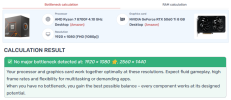
Guten tag! I have an HP Omen 35L with a minimal GPU/CPU bottleneck, and I've reset my OBS settings by starting fresh scenes and profiles as well as launching the auto-config wizard. My PC runs even the resource-heaviest games wonderfully at 1080p, but for some reason, these constant second-long slowdown attacks keep appearing in the MKV recordings (i.e., not in the games). That's even with my recording quality set to high, not indistinguishable. I run frequent SFC and DISM scans as well as disk cleanups, graphics driver updates, and very rare driver reinstallations using DDU (Christ, I actually hit the gray screen of death during one uninstallation today, which I thought permanently destroyed my display), and the cycle continues. No overlays, no game mode, and all the recommended GPU settings are active, and so much as moving the recording location to a 5TB SSD I bought recently and connected via 10mbps USB-C saw no greater outcome.
Given OBS is industry-standard, I desperately want this tool to work as it should, but it's discouraging that my PC does virtually everything right except this. Thank you for any help you can provide.
Given OBS is industry-standard, I desperately want this tool to work as it should, but it's discouraging that my PC does virtually everything right except this. Thank you for any help you can provide.