WingzofRhythm
New Member
Hey all!
I am new to OBS and video capture software in general. I'm trying to just record local gameplay videos for a youtube channel. I'm pretty sure my problem is relatively simple, and I'm just missing a step.
1. Download and install software successfully
2. Configure Encoding for Local Recording
3. Configure Audio for my mic and speakers
4. Configure Video for my laptop's resolution of 1920x1080 (Base Res: 1920x1080 Res Downscale: 1.5 [1280 x 720])
5. Added Scene and Source (Monitor Capture) Successfully (I'm running Win 8.1 = efficient)
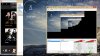
6. Preview Stream and I see my monitor, or rather, only the top left 1280x720 pixels of it.
When I set my computer's screen resolution to 1280x720 I see the whole screen in the preview, but I can't run many of my programs in that res. I'm sure I'm missing something super simple, but I've scoured reddit guides, official guides, the FAQ, and this forum before making an account to see if ya'll have any ideas.
Attached is the log!
I am new to OBS and video capture software in general. I'm trying to just record local gameplay videos for a youtube channel. I'm pretty sure my problem is relatively simple, and I'm just missing a step.
1. Download and install software successfully
2. Configure Encoding for Local Recording
3. Configure Audio for my mic and speakers
4. Configure Video for my laptop's resolution of 1920x1080 (Base Res: 1920x1080 Res Downscale: 1.5 [1280 x 720])
5. Added Scene and Source (Monitor Capture) Successfully (I'm running Win 8.1 = efficient)
6. Preview Stream and I see my monitor, or rather, only the top left 1280x720 pixels of it.
When I set my computer's screen resolution to 1280x720 I see the whole screen in the preview, but I can't run many of my programs in that res. I'm sure I'm missing something super simple, but I've scoured reddit guides, official guides, the FAQ, and this forum before making an account to see if ya'll have any ideas.
Attached is the log!