andromedastrain
New Member
I've been experiencing continual connectivity issues in attempting to stream on OBS.
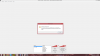
The image below is the error message I get when this happens.
I will press "Start Streaming," and approximately 30 seconds later, this error message shows up.
I've already checked my own firewall/security systems, and have made sure that obs is allowed to access the internet.
I feel as if this problem is simple, what am I missing?

The image below is the error message I get when this happens.
I will press "Start Streaming," and approximately 30 seconds later, this error message shows up.
I've already checked my own firewall/security systems, and have made sure that obs is allowed to access the internet.
I feel as if this problem is simple, what am I missing?