

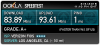
Hello! I need some help optimizing my stream. I have had complaints that the quality is not high enough, I know im not dealing with the best hardware, and streaming DayZ is pretty hard considering how many resources it eats up. But I feel like there are some tweaks that will make it better. I tried changing my bitrate to 3500 but I heard complaints of buffering issues. Also, my upload rate is extremely high - FIOS gives me 90+mbps. Any help would be greatly appreciated! Log is below.
You are using an out of date browser. It may not display this or other websites correctly.
You should upgrade or use an alternative browser.
You should upgrade or use an alternative browser.
Question / Help Optimization Help
- Thread starter obeewnn
- Start date
with 480@30fps 1500 bitrate should be enough, but you could go as high as 2000 since games like DayZ have a lot of foliage and fps can be hard with pixellation anyway.Hello! I need some help optimizing my stream. I have had complaints that the quality is not high enough, I know im not dealing with the best hardware, and streaming DayZ is pretty hard considering how many resources it eats up. But I feel like there are some tweaks that will make it better. I tried changing my bitrate to 3500 but I heard complaints of buffering issues. Also, my upload rate is extremely high - FIOS gives me 90+mbps. Any help would be greatly appreciated! Log is below.
I would first enable aero for game capture as this will actually help with your stream quality (even though slightly more resources used, it should be fine even with that old i5 and GPU.
Next, with 480@30fps you could drop your cpu preset down to faster but dont go any lower!. the lower the preset, the more CPU is taken up. if you get a drop in your fps in game, just change it back to veryfast.

D2ultima
Member
You're not going to get a whole lot out of that CPU and DayZ. I would suggest using 480p 35fps similar to what dping said, but use 2372 bitrate and 128 audio so you top out at 2500 bitrate overall. Twitch recommends 2000 only for non-partners, but I've found that 2500 is still watchable for the majority of users on twitch. Once you get close to and cross 3000 bitrate is when people start getting issues.
Please also understand that in addition to your CPU being fairly weak, DayZ itself is fairly CPU heavy. If you find that you are incapable of getting decent quality (I.E. your game lags, or you need to use "superfast" compression, etc) you might want to look into using Quicksync to encode your stream. The quality is terrible, but it won't hurt your system, and at "superfast" compression you're at the point where Quicksync is viable.
Please also understand that in addition to your CPU being fairly weak, DayZ itself is fairly CPU heavy. If you find that you are incapable of getting decent quality (I.E. your game lags, or you need to use "superfast" compression, etc) you might want to look into using Quicksync to encode your stream. The quality is terrible, but it won't hurt your system, and at "superfast" compression you're at the point where Quicksync is viable.
with 480@30 his cpu times were sub 1ms. like .7ms so faster might work but veryfast should be fine for him. and I think hes already using 480@30. as for the bitrate, yup 2000-2500 would make a good looking stream even at veryfast.preset.You're not going to get a whole lot out of that CPU and DayZ. I would suggest using 480p 35fps similar to what dping said, but use 2372 bitrate and 128 audio so you top out at 2500 bitrate overall. Twitch recommends 2000 only for non-partners, but I've found that 2500 is still watchable for the majority of users on twitch. Once you get close to and cross 3000 bitrate is when people start getting issues.
Please also understand that in addition to your CPU being fairly weak, DayZ itself is fairly CPU heavy. If you find that you are incapable of getting decent quality (I.E. your game lags, or you need to use "superfast" compression, etc) you might want to look into using Quicksync to encode your stream. The quality is terrible, but it won't hurt your system, and at "superfast" compression you're at the point where Quicksync is viable.
Code:
encoder thread frame - [100%] [avg time: 0.711 ms]D2ultima
Member
This is true, however it doesn't mean his game will play all that well, which is why I suggested it. DayZ (and Arma on the whole) is rather CPU loving.with 480@30 his cpu times were sub 1ms. like .7ms so faster might work but veryfast should be fine for him. and I think hes already using 480@30. as for the bitrate, yup 2000-2500 would make a good looking stream even at veryfast.preset.
Code:encoder thread frame - [100%] [avg time: 0.711 ms]
D2ultima
Member
If you have no performance issues, feel free to add compression until it does not run very well, OR bump the resolution 1 notch (480p --> 540p, etc) and see. But at some point your CPU will become your limiting factor. I already told you to use a good limit of bitrate for being a non-partner.