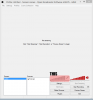
In OBS you can enable/disable microphone recording generally by clicking on the mic icon on the OBS window (not the settings window). Its not about Push to Talk, just a toggle to completely disable/enable voice recording.
This site uses cookies to help personalise content, tailor your experience and to keep you logged in if you register.
By continuing to use this site, you are consenting to our use of cookies.