
Question / Help Obs with avermedia GAME BROADCASTER HD

Artem Karyagin

New Member
hello,

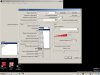
can you please let me know, i can use only this resolutions when i use capture card ? Or how i can use my ingame resolution, i mean 1280x960 or 1600x900?
I mean my problem is, when i use, in example 1920x1080 in avermedia settings, screen dont see the game, i mean its black screen or shaking black screen. If i use 1920 ingame + 1920 @ windows and 1920 in avermedia, works fine. 1280x720 same thing.

But the problem is my game resolution is 1600x900 or 1280x960

sorry for my bad english, but hope u understand me
 

Attachments

  • MsgjDhwPR-k.jpg
    MsgjDhwPR-k.jpg
    105.1 KB · Views: 399
hello,

can you please let me know, i can use only this resolutions when i use capture card ? Or how i can use my ingame resolution, i mean 1280x960 or 1600x900?
I mean my problem is, when i use, in example 1920x1080 in avermedia settings, screen dont see the game, i mean its black screen or shaking black screen. If i use 1920 ingame + 1920 @ windows and 1920 in avermedia, works fine. 1280x720 same thing.

But the problem is my game resolution is 1600x900 or 1280x960

sorry for my bad english, but hope u understand me
Is there a stretch to fit option there? I cant read russian anymore :P
 
Just set whatever size you want on the avermedia capture source then set that same size in the video tab in OBS.
where i can find avermedia capture source ?
and u know how to set, in example 1920 in windows, and 1600x900 ingame ? and if i alttabbed to windows , it will not lagging or something like that
 
and if i set 1024 in avermdeia, will set 1024 in windows and ingame, how i can stretch it on stream ? dont see this button
Post your logfile please. you can find it under the help menu. make sure you restart OBS. and preview or stream for 5 minutes then post your current logfile. copy the link here.

right click on the preview window, click "size and position" then "stretch to screen"
 
Post your logfile please. you can find it under the help menu. make sure you restart OBS. and preview or stream for 5 minutes then post your current logfile. copy the link here.

right click on the preview window, click "size and position" then "stretch to screen"
what video options i must set ? i mean 1920 decreased to 1.5x (1280x720) or just 1024 ?
 
what video options i must set ? i mean 1920 decreased to 1.5x (1280x720) or just 1024 ?
The problem being is that your resolution of your games are either:
1600x900 (16:9 aspect ratio)

or

1280x960 (4:3 aspect ratio) I would set it to this since you have a 1024, 768 for your monitor which is also a 4:3 aspect ratio for your monitor.
 
I think I'm in the same boat, I play my game in nividia surround 5760x1080 but only have one hdmi splitter and room for one capture card on my streaming pc so when i try to record just the center monitor at 1920x1080 all i get is a blank screen too from obs. Any ideas?
 
Actually that sounds like a very different problem.
First: The Capture Card needs to be configured to use the same resolution as your game/desktop you try to record, to be able to capture the image. OBS base resolution should then be configured to the same resolution (downscale can be used to further lower it if necessary).
Your monitor resolution should only be the base if most of your footage runs at this resolution.
Second: Do not use a capture card in a single pc setup, it will just add strain to your hardware.

Now to Harvest: You need to make sure that your splitter exactly gets a 1080p source and which hz setting it uses. Then configure your capture card to that resolution and hz(fps) setting in OBS and you should be able to capture it.
Avermedia capture cards normally also show an out of range or no signal message, a black screen is unusual. Maybe try deactivating the surround setup for a second and just capturing the monitor.
 
Back
Top