Hello,
i try to use Fuji Xt3 + CamLink 4k + OBS + Virtual Cam +Teams/Skype.
After a long way to get Virtual Cam in the Tools Menu of OBS and as selectable Cam in Skype/Teams now I have problems with the quality of the stream in Teams.
If I use CamLink 4K directly as Cam in Teams the resolution and quality is fine (FHD).
When I use OBS + VirtualCam as Cam in Teams, the result looks like bad scaled / scaling algorithm in low resolution(while in OBS itself it look fine, 1080p).
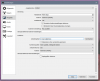
I tried different input output resolutions, scaling algorothms, bitstreams in OBS...
Smaler OBS output resolutions result in better not good feeds in Teams/Skype.
Any tipps for me how to get the 1080p out of OBS into Teams/Skype?
May thanks and best regards
Bo
Setup: Fuji XT3, CamLink4k, Win10, OBS 24.05, VirtualCam 2.0x, Skype/Teams
i try to use Fuji Xt3 + CamLink 4k + OBS + Virtual Cam +Teams/Skype.
After a long way to get Virtual Cam in the Tools Menu of OBS and as selectable Cam in Skype/Teams now I have problems with the quality of the stream in Teams.
If I use CamLink 4K directly as Cam in Teams the resolution and quality is fine (FHD).
When I use OBS + VirtualCam as Cam in Teams, the result looks like bad scaled / scaling algorithm in low resolution(while in OBS itself it look fine, 1080p).
I tried different input output resolutions, scaling algorothms, bitstreams in OBS...
Smaler OBS output resolutions result in better not good feeds in Teams/Skype.
Any tipps for me how to get the 1080p out of OBS into Teams/Skype?
May thanks and best regards
Bo
Setup: Fuji XT3, CamLink4k, Win10, OBS 24.05, VirtualCam 2.0x, Skype/Teams