Udaya.Castro
New Member
Hi everyone, I need you assitance with a project that I am working on.
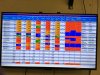
So the project is about unicasting a OBS screen capture of a PC to a encoder that takes in IP and converts it into a QAM output (TV programming).The QAM output goes to our internal cable TV system that puts out Digital channels. I was able to unicast 4 streams from 4 different PC's and out of them only 2 streams were looking good ( clear picture). The other two channels only displayed half of the actual visual and other other portion was either black/visual from previous channel.
What do you think about this issue and do you have any solution for that?
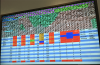
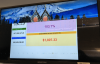
Please check the attachments for the 2 channels that have a bad visual.
Thanks again
So the project is about unicasting a OBS screen capture of a PC to a encoder that takes in IP and converts it into a QAM output (TV programming).The QAM output goes to our internal cable TV system that puts out Digital channels. I was able to unicast 4 streams from 4 different PC's and out of them only 2 streams were looking good ( clear picture). The other two channels only displayed half of the actual visual and other other portion was either black/visual from previous channel.
What do you think about this issue and do you have any solution for that?
Please check the attachments for the 2 channels that have a bad visual.
Thanks again