Question / Help OBS Reconnect every 10 min (tired) to fix witch OBS support

Ganjaguru

New Member
Hello i try to find some fix in forum but no result

I try to

- Test all twitch EU Servers and hitbox.tv
- Try lowering bitrate
- Don't stream over wireless (i have cable)
- Try another streaming service (Just as a test) (done)
- Check for throttling (calling to my ISP and they test my Enthernet its ok)
- Check your firewall / router / antivirus / network software (check)

- Update Network Adapter Driver (done)

- Bad router or bad networking hardware (don't have router)

ehh.. please any help :(

This is my last log


https://gist.github.com/52183cae0019c803fa8f
 
Hello i try to find some fix in forum but no result

I try to

- Test all twitch EU Servers and hitbox.tv
- Try lowering bitrate
- Don't stream over wireless (i have cable)
- Try another streaming service (Just as a test) (done)
- Check for throttling (calling to my ISP and they test my Enthernet its ok)
- Check your firewall / router / antivirus / network software (check)

- Update Network Adapter Driver (done)
- Bad router or bad networking hardware (don't have router)


ehh.. please any help :(

This is my last log


https://gist.github.com/52183cae0019c803fa8f
Code:
19:14:11: RTMPPublisher::SocketLoop: Received FD_CLOSE, 18644 ms since last send (buffer: 461249 / 463872)
19:14:11: RTMPPublisher::SocketLoop: Aborting due to FD_CLOSE, error 10053

do you have an second firewall other than windows firewall? something is blocking or closing your connection to twitch
 
Thank everyone for responding ok i test in x264 is the same as Quick Sync :( dping meybe have right..?? hmm.. but my firewall id off and i don't have any antywirus software, two weeks ago i install hot spot shield meybe this is a problem but hss is off, btw i uninstall hss 5 days ago.

last log---> https://gist.github.com/2b8b609c84b9e7061d35
 
Last edited:
I Test x264 and nVidia in another computer connect to my enthernet cable the same problem my isp told me everythink is fine :(
restart your modem and router. I dont think it's your pc now, but its disconnecting somewhere between you and twitch
 
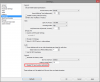
Go to Settings > Advanced and check "Disable TCP send window optimization" - any difference?
 
Go to Settings > Advanced and check "Disable TCP send window optimization" - any difference?
Where i find this option ? Control Panel ->
network and Internet -> Network and Sharing Center -> local connection ? properties and disable enthernet protocol TCP/Ipv4 or 6?
 
Not sure why it would be missing for your localization. :/
 

Attachments

  • Clipboard01.png
    Clipboard01.png
    35.4 KB · Views: 22
Another user reporting the same problem with that brand of router/voip/modem.

http://steamcommunity.com/discussions/forum/1/627457521163910531/

I would suggest replacing it if possible with a different brand.


Ok i read this topic and fix with router It does not help always the same problem and i called to my ISP again and i told them please test that connection for more than 10 min, and help me to solve this issue That Indications are all the trouble lies in their modem. Do you have any ideas can still?
 
Back
Top