Question / Help OBS frame dropping/lag Help!

Steven1922

New Member
Hi all ive been using OBS for about two months now and everything was working just fine each stream . This past week when I launched my frames dropped right off the back and lagged ( red to yellow to green )
Ive tried everything on the "Dropped frames/disconnecting/lag? Read this first! " and even called my ISP they came out and everything checkout out ok . Any help or ideas its driving me nuts thanks to all .

 

Attachments

  • speed.png
    speed.png
    13.4 KB · Views: 13
  • specs.png
    specs.png
    45.1 KB · Views: 16
Hi all ive been using OBS for about two months now and everything was working just fine each stream . This past week when I launched my frames dropped right off the back and lagged ( red to yellow to green )
Ive tried everything on the "Dropped frames/disconnecting/lag? Read this first! " and even called my ISP they came out and everything checkout out ok . Any help or ideas its driving me nuts thanks to all .

post your OBS logfile like this:
giphy.gif


ONce you've done that, you can test a stream for your region:
http://www.teamliquid.net/forum/tech-support/478845-twitchtest-twitch-bandwidth-tester
 
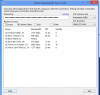
ok this is what I got thanks for the help so far but I usually switch between Cail And SD
hopefully this helps I really want to stream again =)
 

Attachments

  • test.png
    test.png
    25.1 KB · Views: 17
ok this is what I got thanks for the help so far but I usually switch between Cail And SD
hopefully this helps I really want to stream again =)
With those results, no there is something either between you, your ISP and twitch that is causing this. more than likely its the second half of that, at your ISP
 
I have no idea ive tried all day and no luck is there anyone who can help me ill show my window maybe someone can jump in the stream and help me =(
 
I have no idea ive tried all day and no luck is there anyone who can help me ill show my window maybe someone can jump in the stream and help me =(
One last thing i noticed. set your buffer to the same as your bitrate, when streaming, you're only asking for issues if those dont match. Other than that, your results were extremely erratic.

Unless you can find an ingest with consistant results above your bitrate (2000), then I dont know what to tell you. to test this, run the longer test for your region in the tester.
 
Back
Top