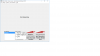
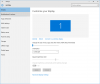
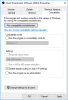
I'm running a 1440p monitor with Windows 10 at 100% font size (default). When I start OBS the UI buttons font is way to large. Is there anyway to resolve it?
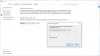
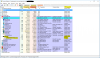
Hi FerrtBomb. Thanks for responding. Can you elaborate further? From this article it seems that an app is either DPI aware or not. OBS shows as being DPI aware and therefore should scale its own text accordingly, yet its CLRBrowserSourceClient.exe app isn't (I'm not sure if this is GUI element of OBS.exe, in which case the answer is that the program is not DPI aware). As I have mentioned in my original message, I dont have DPI scaling enabled and am not even sure it is possible any longer with Windows 10, so can you explain how I can resolve this? I run many apps on my system (Microsoft, Adobe, Oracle etc) but only this one displays this issue.
This site uses cookies to help personalise content, tailor your experience and to keep you logged in if you register.
By continuing to use this site, you are consenting to our use of cookies.