My hd recently failed so I had to do a fresh install on everything, including OBS, etc. However, when I go into OBS to set up my scenes, OBS is NOT recognizing my capture card. I have already downloaded and installed the drivers for it, and Windows recognizes the capture card device, but OBS is not. I have also confirmed that Windows allows access to camera in all apps (inc. OBS). Not sure what else I need to do to trouble shoot this.
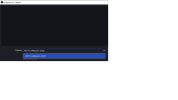
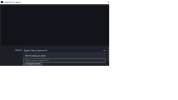
I was able to import my old profile, so my elgato is listed in the drop down on the video capture device that already exists (but it's completely grayed out). If I go to add a new video capture device, the elgato isn't an option at all. Additionally, if I go into the existing scene, and choose the propeties on the elgato, the drop down will recognize the webcam as a valid video capture (like I said, elgato is grayed out). However, if I choose the webcam, then go back into the drop down, the elgato option completely disappears (not even grayed out anymore).
Any suggestions? I am using the original Elgato HD (so it is an old card). Like I said, I have d/l'd the drivers for that card specifically, and it ran fine on this machine up until this hd failure.
Thanks for any advice.
I was able to import my old profile, so my elgato is listed in the drop down on the video capture device that already exists (but it's completely grayed out). If I go to add a new video capture device, the elgato isn't an option at all. Additionally, if I go into the existing scene, and choose the propeties on the elgato, the drop down will recognize the webcam as a valid video capture (like I said, elgato is grayed out). However, if I choose the webcam, then go back into the drop down, the elgato option completely disappears (not even grayed out anymore).
Any suggestions? I am using the original Elgato HD (so it is an old card). Like I said, I have d/l'd the drivers for that card specifically, and it ran fine on this machine up until this hd failure.
Thanks for any advice.