I found a workaround for this, it's a bit tedious but reliable.
View attachment 61484 My problem was I wanted audio output via analog port on my Switch instead of HDMI. As many people have noted here, those options are not available in OBS. It doesn't even look like OBS can take audio input from a "Video Capture Device" in the sources section. My solution is as follows:
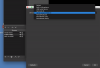
- Add the Elgato HD60S+ as a Video Capture Device in the Sources list in OBS.
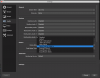
- Add a new Device under "Mic/Auxiliary Audio" section of the Audio settings in OBS (from OBS main settings)
- Once the audio is in the Mixer and the video is in the Sources I am able to capture audio only when audio is sent via HDMI. It does not work via analog audio. For this we open Game Capture HD (The elgato software available here https://www.elgato.com/en/gaming/downloads)
- In Game Capture HD: select the correct device (HD60S+) then go into the settings for this device (looks like a hammer and wrench, see image)
- From there you have the option to check "with Analog Audio" which will send the audio via the analog cable instead of the HDMI. (Bonus settings here if you want to modify video too 720p30, 720p60, 1080p30, 1080p60 etc these are options also not available in OBS)
- Once you set the audio settings in Game Capture HD you can close Game Capture HD and go back to OBS and you should now see the audio from the capture card in the mixer being recognized with either HDMI or analog audio cable.
I will try to record a video about this and post it.