CommanderCody01
Member
Hey fellow streamers, I have finally gotten a reliable streaming arrangement set up. Now that it's working, I'd like to see if I can improve my quality. Here's a rundown of my setup…
I run all audio through my MacBook Pro, and feed that into my PC. I'm an audio engineer, so I don't need any help getting the audio portions setup; just video stuff.
I just got a PC from a friend to use for streaming. Specs are:
2012 Dell Inspiron
3GB RAM
2.3 GHz AMD Sepmtron Processor
ATI Radeon HD 4350
I'm a Mac guy, and know little about PC or video stuff, so I don't know how good this is? I can always swing by Micro Center and grab more RAM upgrades if you think that would help my process.
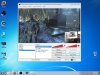
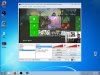
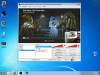
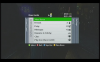
My capture card is a Diamond MM GC500 HD card, running component cables, not HDMI. I have a reliable video feed from the card, but to be honest, it's not as high-def as I think HD should be… it passes through to my TV and looks great, but in OBS and in my stream it doesn't look full 720p. I'll attach some screenshots of what I see in OBS of my capture.
I have a Microsoft LifeCam in use as my webcam, which looks great (better than the capture card).
As I said, I'm new to video… I watched a few tutorials to help get me up and running. Here are my stream settings
I calculated my bit rate based on my internet upload speed, which is slow, because ISP companies suck. I get about 1.8Mbps up so I'm using a 1300 bit rate.
Resolution is 1280x720 to match 720p. Downscaling 2x to help frame rate and whatnot.
Here's another thing I'm confused about: in "properties" for my capture card, my resolution only works right at 640x368. There is no option in the drop down settings for "custom resolution" to match a 720p input. And when I try to manually type in "1280x720," the video is just a red screen, and the FPS reads "0." I tried every option in the drop down menu and 640x368 works the best, so I kept it.
The LifeCam comes in at 720p also, and I have this resolution set custom to 320x240, to fit in the corner of my screen. Again, I tried most options and this is the one that looked the best.
So that's it… the stream is very reliable, no lagging or anything, but my main issue is the quality of the video. The capture card is supposed to be in 720p HD, but it sure doesn't look like it.
My few recent streams can be found on Twitch and you can see the quality of video: www.twitch.tv/roguesquadpod/profile
Thanks for the help everyone!
I run all audio through my MacBook Pro, and feed that into my PC. I'm an audio engineer, so I don't need any help getting the audio portions setup; just video stuff.
I just got a PC from a friend to use for streaming. Specs are:
2012 Dell Inspiron
3GB RAM
2.3 GHz AMD Sepmtron Processor
ATI Radeon HD 4350
I'm a Mac guy, and know little about PC or video stuff, so I don't know how good this is? I can always swing by Micro Center and grab more RAM upgrades if you think that would help my process.
My capture card is a Diamond MM GC500 HD card, running component cables, not HDMI. I have a reliable video feed from the card, but to be honest, it's not as high-def as I think HD should be… it passes through to my TV and looks great, but in OBS and in my stream it doesn't look full 720p. I'll attach some screenshots of what I see in OBS of my capture.
I have a Microsoft LifeCam in use as my webcam, which looks great (better than the capture card).
As I said, I'm new to video… I watched a few tutorials to help get me up and running. Here are my stream settings
I calculated my bit rate based on my internet upload speed, which is slow, because ISP companies suck. I get about 1.8Mbps up so I'm using a 1300 bit rate.
Resolution is 1280x720 to match 720p. Downscaling 2x to help frame rate and whatnot.
Here's another thing I'm confused about: in "properties" for my capture card, my resolution only works right at 640x368. There is no option in the drop down settings for "custom resolution" to match a 720p input. And when I try to manually type in "1280x720," the video is just a red screen, and the FPS reads "0." I tried every option in the drop down menu and 640x368 works the best, so I kept it.
The LifeCam comes in at 720p also, and I have this resolution set custom to 320x240, to fit in the corner of my screen. Again, I tried most options and this is the one that looked the best.
So that's it… the stream is very reliable, no lagging or anything, but my main issue is the quality of the video. The capture card is supposed to be in 720p HD, but it sure doesn't look like it.
My few recent streams can be found on Twitch and you can see the quality of video: www.twitch.tv/roguesquadpod/profile
Thanks for the help everyone!