Multi-Stream Plug-In Quality dip (Only Youtube)

MoonMagic

New Member
Hi all,
I discovered the multi-stream plug-in a month or so ago. In my 2nd week of using it I got a 'CPU usage too high' notice.
I was advised that I may need to upgrade my memory from 8GB to 16GB, so luckily my Omen 15 Laptop had another slot, and I did just that.

Last two times I have been able to stream without this message, however the quality in my webcams seem to vary across platforms. On Twitch and X, my webcam quality looks great: https://www.twitch.tv/videos/2195749616
Yet on Youtube my Webscam seems pixilated: https://www.youtube.com/live/3Zr9Pr2CKiM?si=tk3PyUMgKxNo3Cxp
(Please ignore my co-host (SpeedyQ) camera, as his webcam isn't the best)

Can anyone help with this?
My camera input is from Google meets, but that shouldn't be the issue as it isn't on X and Twitch, and wasn't an issue in previous streams before I started Multi-streaming.

My Stats:
16GB
Upload speed: 28.08
3 outputs: X as primary
Twitch
Youtube

Settings in OBS currently:
CBR
x264
Rescale output disabled
5500 bitrate
Keyframe 2
Profile: High
CPU: Faster
Tune: Zerolatency
Base and Output: 1920 x 1080

I didn't know if moving my Encoder to NVIDIA NVENC H.264 might help or what settings to use if I do? but I was a bit concerned that this may cause my computer to shout at me about CPU usage again, even though I have upgraded to 16GB

Also if anyone has a way of me testing any changes without going live to multiple platforms to make sure it works? That would be fab..

Many thanks,
Nymfria
 
Just an FYI. If all 3 streams are the same content, resolution, ect., use NVENC on the streaming output in OBS. For the (2) targets being sent from the RTMP Multi-out, the audio & video encoders can be set as "Get From OBS". There will only be 1 encode running with 3 streams going out.

Adjust as needed
17:50:46.093: [obs-nvenc: 'multi-rtmp-venc1823211172'] settings:
17:50:46.093: codec: H264
17:50:46.093: rate_control: CBR
17:50:46.093: bitrate: 6000
17:50:46.093: cqp: 20
17:50:46.093: keyint: 120
17:50:46.093: preset: p5
17:50:46.093: tuning: hq
17:50:46.093: multipass: qres - May need to be set to Single Pass
17:50:46.093: profile: high
17:50:46.093: width: 1920
17:50:46.093: height: 1080
17:50:46.093: b-frames: 2
17:50:46.093: lookahead: false
17:50:46.093: psycho_aq: false
 
Just an FYI. If all 3 streams are the same content, resolution, ect., use NVENC on the streaming output in OBS. For the (2) targets being sent from the RTMP Multi-out, the audio & video encoders can be set as "Get From OBS". There will only be 1 encode running with 3 streams going out.

Adjust as needed
17:50:46.093: [obs-nvenc: 'multi-rtmp-venc1823211172'] settings:
17:50:46.093: codec: H264
17:50:46.093: rate_control: CBR
17:50:46.093: bitrate: 6000
17:50:46.093: cqp: 20
17:50:46.093: keyint: 120
17:50:46.093: preset: p5
17:50:46.093: tuning: hq
17:50:46.093: multipass: qres - May need to be set to Single Pass
17:50:46.093: profile: high
17:50:46.093: width: 1920
17:50:46.093: height: 1080
17:50:46.093: b-frames: 2
17:50:46.093: lookahead: false
17:50:46.093: psycho_aq: false
Hey @rockbottom
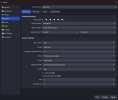
Does my Screenshot look ok to you? and do you think the specs of my computer can handle these settings?
Twitter/X is Main output with Youtube (quality bad) and Twitch (Quality fine) being the two RTMP targets
Thanks again
 

Attachments

  • Screenshot 2024-07-24 165945.png
    Screenshot 2024-07-24 165945.png
    53.7 KB · Views: 170
Yeah, assuming your GPU is Touring or newer. If it's an older model, multipass must be disabled or set to full. I don't recommend full for real time encoding.
 
Yeah, assuming your GPU is Touring or newer. If it's an older model, multipass must be disabled or set to full. I don't recommend full for real time encoding.
How would I find out what my GPU is? I have an Omen 15 Laptop attached
 

Attachments

  • Screenshot 2024-07-25 163919.png
    Screenshot 2024-07-25 163919.png
    3.3 KB · Views: 47
Wanted to add, as you add additional encodes to the multi-output (If you're not using "Get from OBS"), you may need to lower your Preset from P5 to a faster Preset like P4 or P3 if you start getting encoding lag. The Preset is the only setting that needs to be changed to increase the encoders throughput.
 
Wanted to add, as you add additional encodes to the multi-output (If you're not using "Get from OBS"), you may need to lower your Preset from P5 to a faster Preset like P4 or P3 if you start getting encoding lag. The Preset is the only setting that needs to be changed to increase the encoders throughput.
I have them set to 'Get from OBS' currently, do you think that'll be ok? All the others were fine before on H264 settings apart from Youtube, so only changing to these to appease YT Quality, had not lagging after updating my memory. Currently have Youtube and Twitch (My RTMP Targets) as 'Get from OBS'

There's no way of me testing live right?

Just my live is for a client tomorrow and It's so stressful not knowing if the new settings will work
 
Cool. Yeah, the only time you really need to run another encoding is if something is different, like a lower resolution. Get from OBS saves resources & best to use it whenever possible.

I don't use either of them but you can test. I know with YT the stream can be marked private so nobody will see it but not sure about Twitch.
 
Cool. Yeah, the only time you really need to run another encoding is if something is different, like a lower resolution. Get from OBS saves resources & best to use it whenever possible.

I don't use either of them but you can test. I know with YT the stream can be marked private so nobody will see it but not sure about Twitch.
Yeah It's only really Private on Youtube and deleting Twitch but X doesn't have a test run unfortunately

But I streamed today @rockbottom and the issue still seems to be there with Youtube
https://www.youtube.com/watch?v=wEZhmNG7DM8
The Graphics are mint, but the camera's are struggling. Yet they are fine on X and Twitch - Mine (nymfria) looks pixalatted ( I know Speedy's isn't great but that's his hardware) but it can't be the camera's as if you look at the difference of me on Youtube (above) to me on X and Twitch (below) you'll see what I mean, as if it was the camera it would be bad on all Targets?
 
I would need to see the log from the session.

Help > Log Files > Show Log Files. The folder will open, select/attach the correct file & I'll take a look.
 
Don't use wi-fi. Use ethernet & test again. (3) Streams, each @ 6Mb/s, do you have sufficient bandwidth from your ISP?

16:08:35.651: Output 'multi-output': stopping
16:08:35.651: Output 'multi-output': Total frames output: 80265 (80630 attempted)
16:08:35.651: Output 'multi-output': Total drawn frames: 80757 (80759 attempted)
16:08:35.651: Output 'multi-output': Number of lagged frames due to rendering lag/stalls: 2 (0.0%)
16:08:35.651: Output 'multi-output': Number of dropped frames due to insufficient bandwidth/connection stalls: 365 (0.5%)
16:08:35.651: Output 'multi-output': stopping
16:08:35.651: Output 'multi-output': Total frames output: 80375 (80630 attempted)
16:08:35.651: Output 'multi-output': Total drawn frames: 80757 (80759 attempted)
16:08:35.651: Output 'multi-output': Number of lagged frames due to rendering lag/stalls: 2 (0.0%)
16:08:35.651: Output 'multi-output': Number of dropped frames due to insufficient bandwidth/connection stalls: 255 (0.3%)
16:08:35.651: [obs-multi-rtmp] Release output while it is active.
16:08:38.451: [rtmp stream: 'adv_stream'] User stopped the stream
16:08:38.451: [rtmp stream: 'adv_stream'] Socket send buffer is 524288 bytes
16:08:38.451: Output 'adv_stream': stopping
16:08:38.451: Output 'adv_stream': Total frames output: 81103 (81758 attempted)
16:08:38.451: Output 'adv_stream': Total drawn frames: 81787 (81789 attempted)
16:08:38.451: Output 'adv_stream': Number of lagged frames due to rendering lag/stalls: 2 (0.0%)
16:08:38.451: Output 'adv_stream': Number of dropped frames due to insufficient bandwidth/connection stalls: 655 (0.8%)
16:08:38.451: Video stopped, number of skipped frames due to encoding lag: 2/81770 (0.0%)

Here's some additional suggestions:
Disable HAGS, Game Bar & Game DVR

Set OBS Audio @ 48k

Run your main monitor @ 120, not 144

Run monitor 2 @ 60 if possible

Some of your files that are/were on OneDrive are missing.

Double check your Scenes, only (1) Display, Game, Window capture per to avoid interference.
15:33:16.748: - scene 'Web Cam':
15:33:16.748: - source: 'Zoom' (window_capture)
15:33:16.748: - source: 'Snap' (window_capture)

These waste resources...
15:33:18.205: [obs-browser: 'Alert'] Error: Failed to execute 'postMessage' on 'DOMWindow': The target origin provided ('https://www.youtube.com') does not match the recipient window's origin ('https://streamlabs.com'). (https://www.youtube.com/s/player/1f8742dc/www-widgetapi.vflset/www-widgetapi.js:211)
15:33:18.284: [obs-browser: 'Chat'] Error: Uncaught Error: No provider for: InjectionToken(SHEET_CONTROLLER_TOKEN) (https://www.youtube.com/s/desktop/bad7252b/jsbin/live_chat_polymer.vflset/live_chat_polymer.js:1781)
 
You may want to keep an eye on a new plugin, which should be coming this week, Aitum Multistream...not sure what exactly it is (as it hasn't launched yet) but expecting it to be a more elegant thing than the Multi RTMP plugin.

By the way, you could suggest a new cam (something like an Elgato Facecam, maybe) to your co-host [even you admitted his is not the best].

One thing to bear in mind, YouTube ingests a stream (or video) and transcodes EVERYTHING. Currently, your stream appears to be transcoded to h264/AVC....there is a way, or maybe more than one, to get YT to transcode to VP9 codec (which is a superior codec to h264/AVC).
 
Don't use wi-fi. Use ethernet & test again. (3) Streams, each @ 6Mb/s, do you have sufficient bandwidth from your ISP?

16:08:35.651: Output 'multi-output': stopping
16:08:35.651: Output 'multi-output': Total frames output: 80265 (80630 attempted)
16:08:35.651: Output 'multi-output': Total drawn frames: 80757 (80759 attempted)
16:08:35.651: Output 'multi-output': Number of lagged frames due to rendering lag/stalls: 2 (0.0%)
16:08:35.651: Output 'multi-output': Number of dropped frames due to insufficient bandwidth/connection stalls: 365 (0.5%)
16:08:35.651: Output 'multi-output': stopping
16:08:35.651: Output 'multi-output': Total frames output: 80375 (80630 attempted)
16:08:35.651: Output 'multi-output': Total drawn frames: 80757 (80759 attempted)
16:08:35.651: Output 'multi-output': Number of lagged frames due to rendering lag/stalls: 2 (0.0%)
16:08:35.651: Output 'multi-output': Number of dropped frames due to insufficient bandwidth/connection stalls: 255 (0.3%)
16:08:35.651: [obs-multi-rtmp] Release output while it is active.
16:08:38.451: [rtmp stream: 'adv_stream'] User stopped the stream
16:08:38.451: [rtmp stream: 'adv_stream'] Socket send buffer is 524288 bytes
16:08:38.451: Output 'adv_stream': stopping
16:08:38.451: Output 'adv_stream': Total frames output: 81103 (81758 attempted)
16:08:38.451: Output 'adv_stream': Total drawn frames: 81787 (81789 attempted)
16:08:38.451: Output 'adv_stream': Number of lagged frames due to rendering lag/stalls: 2 (0.0%)
16:08:38.451: Output 'adv_stream': Number of dropped frames due to insufficient bandwidth/connection stalls: 655 (0.8%)
16:08:38.451: Video stopped, number of skipped frames due to encoding lag: 2/81770 (0.0%)

Here's some additional suggestions:
Disable HAGS, Game Bar & Game DVR

Set OBS Audio @ 48k

Run your main monitor @ 120, not 144

Run monitor 2 @ 60 if possible

Some of your files that are/were on OneDrive are missing.

Double check your Scenes, only (1) Display, Game, Window capture per to avoid interference.
15:33:16.748: - scene 'Web Cam':
15:33:16.748: - source: 'Zoom' (window_capture)
15:33:16.748: - source: 'Snap' (window_capture)

These waste resources...
15:33:18.205: [obs-browser: 'Alert'] Error: Failed to execute 'postMessage' on 'DOMWindow': The target origin provided ('https://www.youtube.com') does not match the recipient window's origin ('https://streamlabs.com'). (https://www.youtube.com/s/player/1f8742dc/www-widgetapi.vflset/www-widgetapi.js:211)
15:33:18.284: [obs-browser: 'Chat'] Error: Uncaught Error: No provider for: InjectionToken(SHEET_CONTROLLER_TOKEN) (https://www.youtube.com/s/desktop/bad7252b/jsbin/live_chat_polymer.vflset/live_chat_polymer.js:1781)
I have no way to get an Ethernet to my current streaming set-up, but WiFi has litrally never been an issue before and still doesn't answer why the rest of the feed is great but the Webcams are not? and Only on Youtube? Surely if It were a WifI problem it would all struggle?

The files missing aren't being used so that shouldn't be an issue?

Will have to check how to Disable HAGS, Game Bar and Game DVR

What is it that's wasting resources and how to fix it please?
 
You may want to keep an eye on a new plugin, which should be coming this week, Aitum Multistream...not sure what exactly it is (as it hasn't launched yet) but expecting it to be a more elegant thing than the Multi RTMP plugin.

By the way, you could suggest a new cam (something like an Elgato Facecam, maybe) to your co-host [even you admitted his is not the best].

One thing to bear in mind, YouTube ingests a stream (or video) and transcodes EVERYTHING. Currently, your stream appears to be transcoded to h264/AVC....there is a way, or maybe more than one, to get YT to transcode to VP9 codec (which is a superior codec to h264/AVC).
Ohhh I'll try keep an eye out for this, where would it be posted please?

I'm not so worried about my co-hosts video, they'll sort that in time, I'm more worried about my own! There's not a problem anywhere else other than Youtube, which is bugging me now lol

Any idea how I do any of that please or can you point me in the right direction?

Thanks again
 
OBS isn't causing those dropped frames so it's either the wi-fi or your internet isn't able to support the multi-streams.

As noted above the "Web Cam" Scene is suspect/bad configuration & it's referenced in many of the other Scenes. Profile could be bugged. Run a test, create a new Profile with only 1 Scene & 1 Source see if things improve.

Windows Gaming & Graphics settings. Game DVR is "Captures"

They're browser sources, looks like bad links. If you can't fix them, may need to be removed if problems persist.
 
Back
Top