Question / Help Microphone Issue : Solved

Xellophane

New Member
I've been using OBS for my streaming needs for about 3+ months now. Today I had someone in chat tell me that my mic was laggy and choppy. So I looked through my settings to see what is was. Now I have no sound recorded from my mic what so ever.

I haven't been able to fix it unless I turn noise gating off. It doesn't matter where I set the noise gate slider I won't get sound until I just turn it off. I would prefer to not do that as I get a large amount of background noise. What else can I do to fix the problem?
 

Attachments

You should really use AAC audio rather than MP3. AAC is much more reliable, compatible, and higher quality at a give bit rate.

Can you take a screenshot of your noise gate settings?
 
noisegatescreenshot_zpsbc51a88d.png


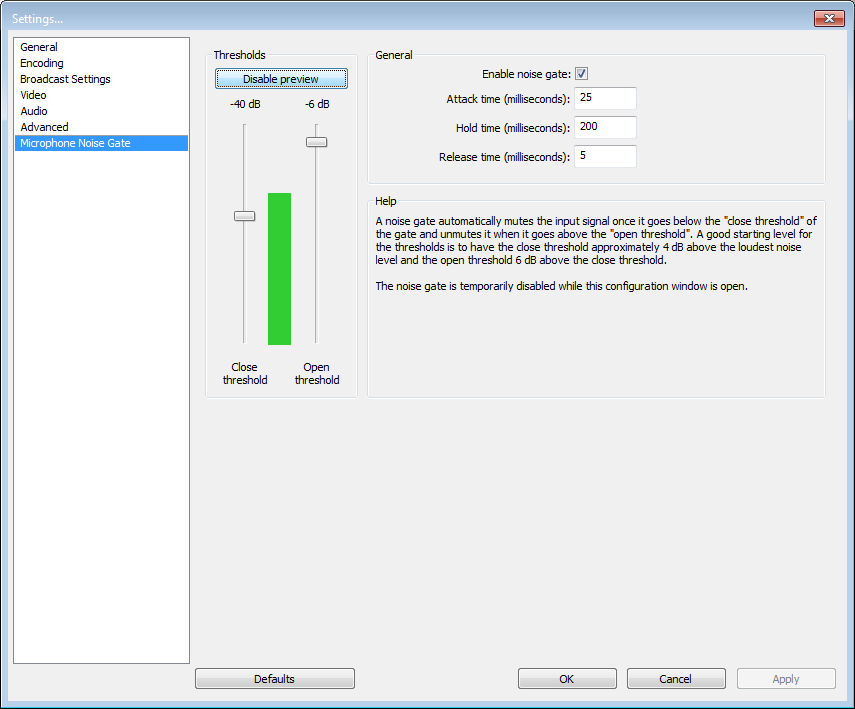
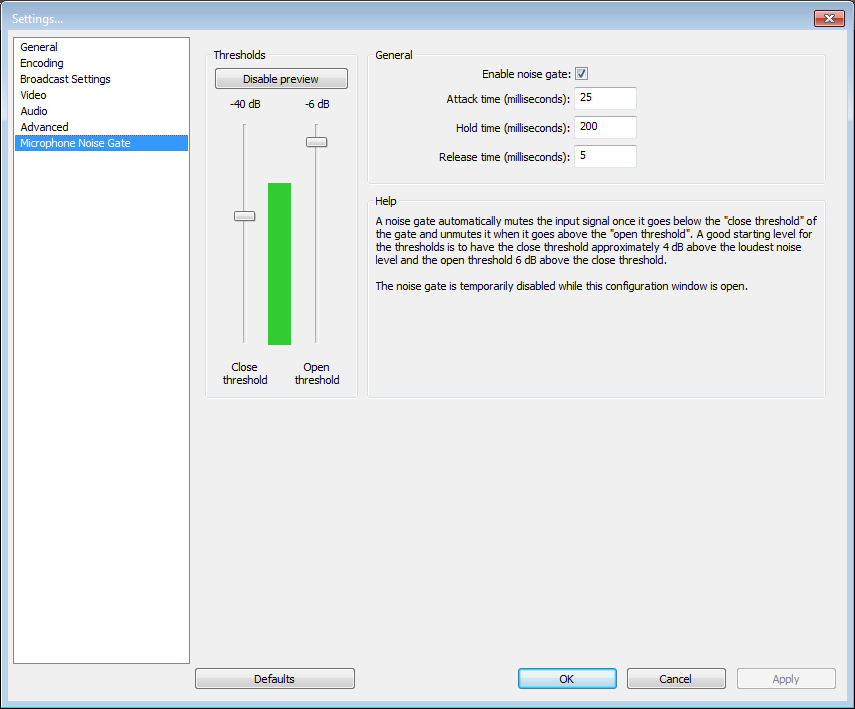
I wasn't aware that aac gave a better audio performance. Thanks for the tidbit. That's my noise gate right now while I'm not talking. And here is my noise gate while I am talking.

NoiseGateScreenshot2_zps54250202.png
 
The open threshold is the point where it will start letting through your voice when you speak after a period of silence, the close threshold is where it will mute your mic during a period of silence.
You need to move the open threshold down a long way so that it opens the gate when you start speaking.
 
Your close threshold is set all wrong too. If you've got it set below the ambient noise floor, it will never shut.

What you should have is the Close threshold JUST above the ambient noise floor. Then you want the open threshold to be set a bit high than that so that when you speak, it will open the gate. Your voice should make the green bar jump above both of the threshold markers.
 
I was aware the close threshold was too low, but didn't put the open threshold together with it. Thank you for the simple answer. It works now.
 
Back
Top