Hi guys,
I have OBS since 1 day and I am quite newbie in this. However, I believe I got the hang of the basics of this system.
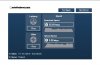
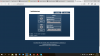
When I want to test stream it works well. Everything works fast and all. However, when I want to live stream via Twitch I have a lag of 20-30 seconds (which I believe also filled in in my 'settings') and it has to buffer a lot and that is really annoying.
I did the whole setup as this website proposes: http://help.twitch.tv/customer/portal/articles/1262922-open-broadcaster-software
Is there something I can change on the settings to have less buffering and maybe a little bit less lag so it is more 'live'?
Small detail:
I live in Thailand at the moment - so Internet is maybe not always stable (I have 30MB but I have the feeling it 'swings' a bit)
Hope anyone can help me out to optimal this thing! Thanks a lot guys!
Cheers!
I have OBS since 1 day and I am quite newbie in this. However, I believe I got the hang of the basics of this system.
When I want to test stream it works well. Everything works fast and all. However, when I want to live stream via Twitch I have a lag of 20-30 seconds (which I believe also filled in in my 'settings') and it has to buffer a lot and that is really annoying.
I did the whole setup as this website proposes: http://help.twitch.tv/customer/portal/articles/1262922-open-broadcaster-software
Is there something I can change on the settings to have less buffering and maybe a little bit less lag so it is more 'live'?
Small detail:
I live in Thailand at the moment - so Internet is maybe not always stable (I have 30MB but I have the feeling it 'swings' a bit)
Hope anyone can help me out to optimal this thing! Thanks a lot guys!
Cheers!