Question / Help i need a lot of help

KoraDeZora

New Member
and if anyone says just odn't do it,then i say to you,do not reply to this because i am having none of that
i'm trying to set up OBS to run a small stream on twitch
everytime i try to broadcast my connection to twitch crashes
everytime i try to preview my broadcast,i get a black screen
i have everything set up like it's told me to,i put in the stream key,and put in the scenes and sources but nothing is working,i mean i'm getting feed back that my sound is recording but just from my mic,i have no idea what i'm doing wrong,i set it to optimizie for steam,i set up the sources and the scenes but nothing is working

 
First of all let us know your setup.
What specs has your PC? What internet connection do you have? What are you going to stream?
 
mostly small games
i have no idea what my internet is like,i feel like it's fine
and as for my specs i'd say
processor: AMD A6-5200 APU with Radeon HD Graphics 2.00 GHz
ram: 6.00 GB
system type 64-bit
 
mostly small games
i have no idea what my internet is like,i feel like it's fine
and as for my specs i'd say
processor: AMD A6-5200 APU with Radeon HD Graphics 2.00 GHz
ram: 6.00 GB
system type 64-bit
Post your logfile:
giphy.gif
 
Problems:
Streaming over wireless is a big no no, dont do that. find a way to get a wired connection and use it.

You obviously dont have much bandwidth so please run this test to find out exactly how much you have to twitch http://www.teamliquid.net/forum/tech-support/478845-twitchtest-twitch-bandwidth-tester
Run the utility for your region and post your screenshot. do not post speedtests as those are useless.

your CPU is not that strong but your GPU inside that APU is stronger. so use this build of OBS instead of x264:
https://obsproject.com/forum/threads/obs-branch-with-amd-vce-support.13996/

this will use VCE to encode your video instead of using x264 which is software mode and uses up the CPU.

After all this is done, or as much as possible, post a new logfile from the new build and that screenshot I asked for as well.
 
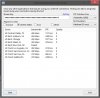
that other build of OBS you wanted me to use isn't working,but i got my bandwith picture and unfortunately i don't have any way to use a wired connection but i figured i'd show you this anyways since i'll go out and get a cord but as it is,that other build isn't work,it usually fails to initialize the coding
 

Attachments

  • omg.jpg
    omg.jpg
    82.3 KB · Views: 34
ok,since i'm clearly not gonna be streaming anytime soon,what about just recordings? like just video audio,i wanna at least get that running,if this does let me do that
 
ok,since i'm clearly not gonna be streaming anytime soon,what about just recordings? like just video audio,i wanna at least get that running,if this does let me do that
Use that VCE build should be able to do 768@30fps easily but I would raise the bitrate/buffer to something of 10000 IF you are just doing local recordings.
 
everytime i try to preview the encoding fails
same for anything else,if i have it set the way the post for the encoder build tells me to have it,then the encoding fails,if i try to tweak anything OBS crashes
update: i'm not sure why but when i switch back to x264 setting everything works
i mean the post tells me to switch to something else but the encoding always fails,is this normal?
update: is there anyway to change the default file type?i can't really work with flv
 
Last edited:
everytime i try to preview the encoding fails
same for anything else,if i have it set the way the post for the encoder build tells me to have it,then the encoding fails,if i try to tweak anything OBS crashes
update: i'm not sure why but when i switch back to x264 setting everything works
i mean the post tells me to switch to something else but the encoding always fails,is this normal?
update: is there anyway to change the default file type?i can't really work with flv
you need to explain what the error message says, I cannot help with a comment like "encoder fails". a logfile might be helpful.

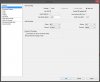
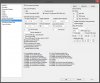
maybe a screenshot of your video, encoding and VCE setting tabs in OBS.
 
well idk how else to put it
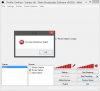
the build you gave me asks me to set the encoding to AMD VCE and everytime i try to run a preview it just says Encoder Initialization failed,it's in the last log i put up here,it should be
 

Attachments

  • omg.jpg
    omg.jpg
    79.1 KB · Views: 24
  • omg3.jpg
    omg3.jpg
    172.7 KB · Views: 26
  • omg5.jpg
    omg5.jpg
    64.8 KB · Views: 29
well idk how else to put it
the build you gave me asks me to set the encoding to AMD VCE and everytime i try to run a preview it just says Encoder Initialization failed,it's in the last log i put up here,it should be
Still no logfile or video tab picture.
nevermind, i'll use the logfile you posted before. sorry. I'm getting ready to leave and deal with multiple accounts.
 
well idk how else to put it
the build you gave me asks me to set the encoding to AMD VCE and everytime i try to run a preview it just says Encoder Initialization failed,it's in the last log i put up here,it should be
I would recommend you download and run DDU its a display driver uninstaller then download and install the latest Windows 8.1 drivers that support your APU. also download the newest chipset drivers from AMD while you are at it.
your APU does support APU from what I have read but the only variable right now is that you might not have up to date drivers for it. only a driver wipe with DDU and a reinstall will help at this point and I really hope this works because I'm out of ideas.
 
alright,i'll look up how to do all that tonight,but if that doesn't work then the x264 setting seems to work for recordings at least,but yea,if this doesn't work still i guess i'll just plan around it and work on getting a different system,which i wanted to get a better system anyways
and i honestly don't know which drivers would be ebst for me or anything about this,i've never done any of this display drivers stuff
 
alright,i'll look up how to do all that tonight,but if that doesn't work then the x264 setting seems to work for recordings at least,but yea,if this doesn't work still i guess i'll just plan around it and work on getting a different system,which i wanted to get a better system anyways
and i honestly don't know which drivers would be ebst for me or anything about this,i've never done any of this display drivers stuff
This is probably why it failed.
chipset drivers:
http://support.amd.com/en-us/download/chipset?os=Windows+10+-+64

APU drivers:
http://support.amd.com/en-us/download/mobile?os=Windows+8.1+-+64

and yes those are the correct drivers for windows 8.1
 
Back
Top