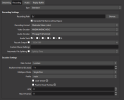
I have a high end pc and my recordings are horrific.

rezevix

New Member
all i want is smooth 1080p 60fps recordings of my games and it seems impossible please help.

PC Specs:

CPU: AMD Ryzen 9 5900X 12-Core Processor
GPU: NVIDIA GeForce RTX 4070
RAM: 32gb DDR4

i have tried everything please help xD

i saw another thread asking for some kind of log so ill just upload my latest
 

Attachments

While I look through your log, drop the MSI G271 to 120HZ & test. 144 will cause stuttering & you have some GPU overload going on. 120 should clear all that up.
 
Just an FYI
20:23:00.485: [Safe Mode] Unclean shutdown detected!
20:23:03.721: [Safe Mode] User elected to launch normally.

Change
20:23:03.722: Game DVR: On > Off
20:23:03.722: Game Mode: Off > On

Nvidia Control Panel:
Monitor Tech - Fixed Refresh
Texture Quality - Anything but High Quality
v-sync - Fast
Triple Buffering - Enabled
Do not limit frame-rates.
 
Just an FYI
20:23:00.485: [Safe Mode] Unclean shutdown detected!
20:23:03.721: [Safe Mode] User elected to launch normally.

Change
20:23:03.722: Game DVR: On > Off
20:23:03.722: Game Mode: Off > On

Nvidia Control Panel:
Monitor Tech - Fixed Refresh
Texture Quality - Anything but High Quality
v-sync - Fast
Triple Buffering - Enabled
Do not limit frame-rates.
thank you for the help.
I cant seem to find game dvr or monitor tech though

Update i found game dvr but idk what monitor tech is
 
Just the items above, your encoding settings are A-OK
thank you so much my recording is so much better. its a little blurry however (just enough to be noticable) is there anything i can do about this? also the log just in case

Edit: im not sure if lossless is even possible but i dream of a recording that looks like exactly what i was seeing at the time
 

Attachments

Game DVR Settings > Gaming > Captures I believe.

Monitor Technology is the full name & that's in the Nvidia Control Panel.

Just wanted to mention with the encoding settings. I don't record B Frames or have Visual Tuning enabled. Recordings look clearer to my eyes without them.
 
2nd log still had that unclean shutdown, that shouldn't happen all the time.

Your audio changed too, the Steel thing wasn't there before. If this is surround it will need to go away. Mixing multi-channel & stereo with OBS will cause nothing but trouble.

22:08:23.877: WASAPI: Default output device changed
22:08:23.884: WASAPI: Default input device changed
22:08:23.901: Device 'Speakers (Logitech G533 Gaming Headset)' invalidated. Retrying (source: Desktop Audio)
22:08:23.905: Device 'Microphone (Yeti Classic)' invalidated. Retrying (source: Mic/Aux)
22:08:24.099: WASAPI: Device 'SteelSeries Sonar - Microphone (SteelSeries Sonar Virtual Audio Device)' [48000 Hz] initialized (source: Mic/Aux)
22:08:24.120: WASAPI: Device 'SteelSeries Sonar - Gaming (SteelSeries Sonar Virtual Audio Device)' [96000 Hz] initialized (source: Desktop Audio)
22:09:18.367: WASAPI: Default output device changed
22:09:18.372: Device 'SteelSeries Sonar - Gaming (SteelSeries Sonar Virtual Audio Device)' invalidated. Retrying (source: Desktop Audio)
22:09:18.567: WASAPI: Device 'SteelSeries Sonar - Media (SteelSeries Sonar Virtual Audio Device)' [96000 Hz] initialized (source: Desktop Audio)
22:09:25.979: [game-capture: 'Game Capture'] attempting to hook fullscreen process: r5apex.exe
22:09:25.988: [game-capture: 'Game Capture'] using helper (compatibility hook)
22:09:26.014: [game-capture: 'Game Capture'] hook not loaded yet, retrying..
22:09:28.992: [game-capture: 'Game Capture'] attempting to hook fullscreen process: r5apex.exe

 
Game DVR Settings > Gaming > Captures I believe.

Monitor Technology is the full name & that's in the Nvidia Control Panel.

Just wanted to mention with the encoding settings. I don't record B Frames or have Visual Tuning enabled. Recordings look clearer to my eyes without them.
ty i needed to enable freesync on my monitor
 
2nd log still had that unclean shutdown, that shouldn't happen all the time.

Your audio changed too, the Steel thing wasn't there before. If this is surround it will need to go away. Mixing multi-channel & stereo with OBS will cause nothing but trouble.

22:08:23.877: WASAPI: Default output device changed
22:08:23.884: WASAPI: Default input device changed
22:08:23.901: Device 'Speakers (Logitech G533 Gaming Headset)' invalidated. Retrying (source: Desktop Audio)
22:08:23.905: Device 'Microphone (Yeti Classic)' invalidated. Retrying (source: Mic/Aux)
22:08:24.099: WASAPI: Device 'SteelSeries Sonar - Microphone (SteelSeries Sonar Virtual Audio Device)' [48000 Hz] initialized (source: Mic/Aux)
22:08:24.120: WASAPI: Device 'SteelSeries Sonar - Gaming (SteelSeries Sonar Virtual Audio Device)' [96000 Hz] initialized (source: Desktop Audio)
22:09:18.367: WASAPI: Default output device changed
22:09:18.372: Device 'SteelSeries Sonar - Gaming (SteelSeries Sonar Virtual Audio Device)' invalidated. Retrying (source: Desktop Audio)
22:09:18.567: WASAPI: Device 'SteelSeries Sonar - Media (SteelSeries Sonar Virtual Audio Device)' [96000 Hz] initialized (source: Desktop Audio)
22:09:25.979: [game-capture: 'Game Capture'] attempting to hook fullscreen process: r5apex.exe
22:09:25.988: [game-capture: 'Game Capture'] using helper (compatibility hook)
22:09:26.014: [game-capture: 'Game Capture'] hook not loaded yet, retrying..
22:09:28.992: [game-capture: 'Game Capture'] attempting to hook fullscreen process: r5apex.exe
i use steelseries sonar
 
No you don't, your 4070 is more than capable of delivering the goods @ 120HZ Fixed.

Like I said, if it's surround, don't use it with OBS unless you're running surround. Channels must match for best performance. 2.1 > 2.1, 5.1 > 5.1 from beginning to end of the audio chain.
 
H265 Lossless. I've been doing a good chuck of my recordings using BGRA/Full using these settings. The recordings are amazing....

Edit: Recording @ 120FPS may not work in this scenario. I've only tested & confirmed 1080p@60 & 2160@48. 2160p@60FPS is a non-starter, rendering lag...

1705445988581.png
 
Last edited:
H265 Lossless. I've been doing a good chuck of my recordings using BGRA/Full using these settings. The recordings are amazing....

Edit: Recording @ 120FPS may not work in this scenario. I've only tested & confirmed 1080p@60 & 2160@48. 2160p@60FPS is a non-starter, rendering lag...

View attachment 100976
my recordings are perfect now but only if i save them to my ssd if i save them to my hdd they commit suicide
 
If your mobo doesn't have (2) Gen 5 PCI-e lanes, just get a Gen 4 SSD. Samsung 990 Pro, WD-850X. Just make sure it's a "Pro" drive with on-board DRAM.

No, but you should be able to play them from that HHD.
 
Back
Top