Question / Help Failed To Start Recording - NVENC Encoder

Amatiq

New Member
As mentioned by the title, when I click record I get the following error:


Failed to start recording
Starting the output failed. Please check the log for details.
NOTE: If you are using the NVENC or AMD encoders, make sure your video drivers are up to date.


My drivers are up to date.

Thank you in advance.
 

Attachments

The error that you're getting indicates that you're using up all the ram on the video card, or that some other program is using all the nvenc instances you have available to you before OBS can use any of them.
 
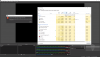
I have the bare minimum of programs opened.
 

Attachments

  • 1575833069211.png
    1575833069211.png
    161.8 KB · Views: 465
There's something running on your system that is taking up all the video card's ram or is using the nvenc encoder slots.
Can't tell really other than that.
 
Disable Game DVR (background recording) in the Windows gaming settings. May be this uses up your resources.
 
Is it possible for me to see applications that are using NVENC encoder slots?


I don't seem / can't find Game DVR, but I have background recording switched off.
 
*PROBLEM SOLVED*

An update on this situation after thinking for a while I thought it might be worth signing in to the Admin User on my PC and try and record from there.

Fast Forward... After doing all the updates on that user (It is pretty much a brand new user which is only there for emergencies) it recorded as expected.
 
Back
Top