
Question / Help Double Screen Image Issue

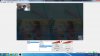
I have just encountered an issue while trying to screen console gaming through OBS and our Avermedia Extremecap U3 device. When recording through the OBS software, it produces a doubled image of the game in poor quality. When attempting to preview this through the Avermedia program, it displays in perfect resolution. How can I fix this issue? Image attached is the issue I am having. Mario Kart.jpg
 
Double check all your connections between the PC, Avermedia, and console. Make sure the settings on the console match those on any settings you have for the Avermedia (not sure how that capture device is set up I'm afraid, but the Blackmagic capture device I use gets me to pick things such as aspect ratio, screen size, framerate etc).

If this doesn't work, would it be a viable solution to capture from the Avermedia program's preview screen? Presumably the sound input isn't an issue?
 
I have synced up the resolutions of both the Avermedia and OBS to 1280x720 (default settings). Still having the double image issue. All plugs are good. I will try your other solution.
 
If you can't get OBS to recognise the preview screen on the Avermedia software, Dxtory might help with that recognition. It's similar to Fraps but with more options available (the last time I checked anyway), and allows you to capture a screen (such as a game, video, or software preview screen) and output it to a video file or a direct feed, or both if desired. Dxtory would essentially appear in OBS as a Video Capture Device - you can find it by right clicking on Sources, and selecting Add > Video Capture Device, and then in the drop down list at the top there should be a "Dxtory Video 1".
 
Does it happen with every resolution the device is set to? I haven't heard of any issues with the extremecap U3 before.
 
Back
Top