

The title pretty much speaks by itself.
I can record my webcam, my desktop, the whole monitor ( in fact I can capture DS2 by capturing the whole monitor, but I just want to capture the game itself), I can capture every sound... just not the game itself. I can also record its sounds, by the way. I tried with both fullscreen and windowed.
The log is attached ( too long).
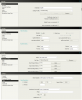
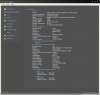
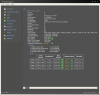
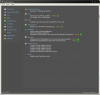
Have a look at my Speccy, in case it might help, and at my OBS settings.
I'm posting here because I did read alot of guides and previously posts about this issue, watched videos, and such, but all the information is about laptops and/or Nvidia GPUs, and/or they did not help me.
Ask me anything that could help me, this is really annoying and frustrating.
I can record my webcam, my desktop, the whole monitor ( in fact I can capture DS2 by capturing the whole monitor, but I just want to capture the game itself), I can capture every sound... just not the game itself. I can also record its sounds, by the way. I tried with both fullscreen and windowed.
The log is attached ( too long).
Have a look at my Speccy, in case it might help, and at my OBS settings.
I'm posting here because I did read alot of guides and previously posts about this issue, watched videos, and such, but all the information is about laptops and/or Nvidia GPUs, and/or they did not help me.
Ask me anything that could help me, this is really annoying and frustrating.
Attachments
Last edited:
