Question / Help CBR isn't keeping bitrate constant, causing massive frame skips.

knightpony

New Member
So about a week ago OBS seemed to be working just fine, but recently out of nowhere I've been getting massive dropped frames (200 or so about the first 2-3 minutes in) . And I've also noticed my bitrate to be constantly rising and dipping below the set rate I place it by significantly.

This is my first time using the forum so I'm not sure where to find log files or such for OBS but wondering if this has been happening to anyone else.
 
So about a week ago OBS seemed to be working just fine, but recently out of nowhere I've been getting massive dropped frames (200 or so about the first 2-3 minutes in) . And I've also noticed my bitrate to be constantly rising and dipping below the set rate I place it by significantly.

This is my first time using the forum so I'm not sure where to find log files or such for OBS but wondering if this has been happening to anyone else.

Based on what you said, here is the thread for dropped frames. please read through it thoroughly.
https://obsproject.com/forum/threads/dropped-frames-disconnecting-lag-read-this-first.8870/


and here is how you post your logfile:
giphy.gif
 
Your settings look good, I guess your upload is not contant anymore or your ISP has issues.

I recommend using TwitchTV tester and check which bandwidth you can get to twitch and what the best server is for you: http://www.teamliquid.net/forum/tech-support/478845-twitchtest-twitch-bandwidth-tester

Please be aware that streaming is very demanding for any internet connection and problems might arise any time for a multitude of reasons where many are out of your direct control. For example if you are on cable internet, performance might decrease at peak hours (early evening) due to the shared medium nature of the connection.
 
https://gist.github.com/d3d77368cb8f23732e2d

I've read that thread up and down and done everything it's said but it's still to resolve my problem
your connection is stalling out so yeah the issue is between you, your ISP and twitch. to isolate the issue, it is best to use the link that @H4ndy linked for your region.

the reason the bitrate drops and rises above your CBR is because when a stall happens, its like a traffic jam but the cars still need to get out so they all go out when the stall is cleared, so to you might see 1000 bitrate, then 300 bitrate, then 2300 bitrate then back to 1500 until your connection stalling issue is fixed.

Recommendations:
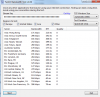
run the tool above and post a screenshot if it
contact ISP to find out what is going on
 
your connection is stalling out so yeah the issue is between you, your ISP and twitch. to isolate the issue, it is best to use the link that @H4ndy linked for your region.

the reason the bitrate drops and rises above your CBR is because when a stall happens, its like a traffic jam but the cars still need to get out so they all go out when the stall is cleared, so to you might see 1000 bitrate, then 300 bitrate, then 2300 bitrate then back to 1500 until your connection stalling issue is fixed.

Recommendations:
run the tool above and post a screenshot if it
contact ISP to find out what is going on
 

Attachments

  • ss (2015-05-28 at 07.54.36).png
    ss (2015-05-28 at 07.54.36).png
    41.6 KB · Views: 60
Wow, well you are either being throttled or there are some issues between you and twitch as suspected.
If you run thr program a second time with similar results, manually set your ingest server to the US:Ashburn, VA twitch ingest instead of using the default. set your bitrate to 1000, that should work. Then, call your ISP and let them know that there is something going on that is throttling you
 
Sadly I'm not the one who has the information to our ISP or account information, (even though people in the house usually look to me when the internet starts going wonky, lol) so there;s not really much I can do in this situation but wait and see if it fixes itself out.
Thanks for all your help though.
 
Back
Top