Question / Help Can Someone help me for Set up settings ?

Virgo_lol

New Member
Hello everyone.I am making League of legends and some other games stream with my laptop.When I am trying to make stream my camera and game blurry so much.This means there is pixelation problem.Can someone help me for set up my setting I can't do it alone well :( This is my pc specs
Device type= Laptop
Processor type= Intel Core i7 3632QM
Memory capacity= 8 GB
Screen size= 15.5 inch
Resolution= 1366x768 GPU type=
AMD Radeon HD 7650M
Total storage capacity= 750 GB
Operating system= Windows 10

And This is my internet:
Ping:31 D
ownload:20.18 Mbps
Upload:1.80 Mbps

Monitor:Widescreen 1366x768

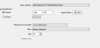
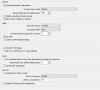
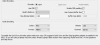
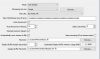
NOTE:I added my current settings' pics below.Where is the mistake help me pls :(
 

Attachments

  • 1.PNG
    1.PNG
    14 KB · Views: 27
  • 2.PNG
    2.PNG
    15.1 KB · Views: 26
  • 3.PNG
    3.PNG
    8.9 KB · Views: 25
  • 4.PNG
    4.PNG
    20 KB · Views: 24
Hello everyone.I am making League of legends and some other games stream with my laptop.When I am trying to make stream my camera and game blurry so much.This means there is pixelation problem.Can someone help me for set up my setting I can't do it alone well :( This is my pc specs
Device type= Laptop
Processor type= Intel Core i7 3632QM
Memory capacity= 8 GB
Screen size= 15.5 inch
Resolution= 1366x768 GPU type=
AMD Radeon HD 7650M
Total storage capacity= 750 GB
Operating system= Windows 10

And This is my internet:
Ping:31 D
ownload:20.18 Mbps
Upload:1.80 Mbps

Monitor:Widescreen 1366x768

NOTE:I added my current settings' pics below.Where is the mistake help me pls :(
low resolution and low bitrate will look pixellated. I dont know what else to say. there are two things to do, 1 raise bitrate (not possible at your current upload speed) 2 drop preset a little bit (might be duable but you need to watch your CPU usage. I'd recommend no more than fast preset. If your cpu usage goes above 80% you might try faster instead. since this is a laptop, you'll need to watch for thermal throttling while streaming since this will stress your CPU causing more heat.
 
low resolution and low bitrate will look pixellated. I dont know what else to say. there are two things to do, 1 raise bitrate (not possible at your current upload speed) 2 drop preset a little bit (might be duable but you need to watch your CPU usage. I'd recommend no more than fast preset. If your cpu usage goes above 80% you might try faster instead. since this is a laptop, you'll need to watch for thermal throttling while streaming since this will stress your CPU causing more heat.
Thank you so much for your attention my friend.I tried 2500 bitrate and made a record for test.Of course I got more quality but still there was pixelation when I move..I think there is a there is problem like harmony between resolution and bitrate.I dont know what should I do :/
 
Thank you so much for your attention my friend.I tried 2500 bitrate and made a record for test.Of course I got more quality but still there was pixelation when I move..I think there is a there is problem like harmony between resolution and bitrate.I dont know what should I do :/
Whenever you post here, screenshots are nice and all but what we really require is a logfile:
giphy.gif
 
for getting rid if pixels when moving, I would downscale to 540p or round that, then drop your preset to faster. you have no room to drop preset with no downscaling but you might if its lower. it will be a little more fuzzy but less pixellated. its a dradeoff you're going to have to make. 768p @ 30fps needs about 2000 bitrate to look decent. lower resolution will have more bitrate per pixel and allow a little more room with the x264 preset (but not much room) because you have a mobile i7.
 
Back
Top