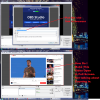
How do i make website videos full screen in browser source ? I mean when i copy the video site link & paste it in browser source, it only show the normal screen.
If you have the same question as the original poster, it's not a matter of the Browser Source going fullscreen automatically, but the YouTube video at the given url. If you want to experiment with a Browser Source and a url with (almost) fullscreen video, take a look at Y.CO (no endorsement in any way loll).
A quick Google search provided several pages claiming to have YouTube url syntax for full screen... that did not seem to work.
As a workaround you might want to experiment with a local file. call-it-anything.html
The iframe part comes straight from YouTube: below the video click Share, Embed. Only adapt width and height to 100%.
You'd still need to Interact with the Browser Source to start the video though.
This site uses cookies to help personalise content, tailor your experience and to keep you logged in if you register.
By continuing to use this site, you are consenting to our use of cookies.