Question / Help Black Screen Problem When Monitor Capturing

AbsTechie

New Member
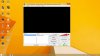
OBS worked fine for me till today when I found out that every time I try to capture my monitor I get a black screen.Yes I have seen the switchable graphics card thread.Although I am using it in a laptop I don't have a Nvidia card.I have dedicated AMD GPU and Intel HD graphics.I tried switching between them in the options.But every time I try to record I get a black screen.I tried switching other options but the problem prevailed.Couple of weeks ago every thing was just fine but now the problem came out.I am not willing to capture my games,I just want to capture my monitor for educational purpose and tutorials.
 

Attachments

  • OBS issue.jpg
    OBS issue.jpg
    199 KB · Views: 25
OBS worked fine for me till today when I found out that every time I try to capture my monitor I get a black screen.Yes I have seen the switchable graphics card thread.Although I am using it in a laptop I don't have a Nvidia card.I have dedicated AMD GPU and Intel HD graphics.I tried switching between them in the options.But every time I try to record I get a black screen.I tried switching other options but the problem prevailed.Couple of weeks ago every thing was just fine but now the problem came out.I am not willing to capture my games,I just want to capture my monitor for educational purpose and tutorials.
you could try switching the GPU in the video tab of OBS settings, but aside from that, even AMD/Intel laptops have the same issue as nVidia/Intel switchable graphics.
 
Back
Top