I'm completely new to OBS I followed all the tutorials to set it up and I still have a black screen when I try to stream LoL it doesn't pick up the game client. I looked up the problem and it says it could be picking up the wrong gpu and to disable the intel GPU and I did that but my AMD graphics card doesn't end up showing up in the OBS video settings as an option.
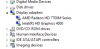
My GPU:

This is my PC info:

This is what happens when I try to switch to my AMD:

Any help you can offer would be so appreciated!
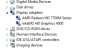
My GPU:
This is my PC info:
This is what happens when I try to switch to my AMD:
Any help you can offer would be so appreciated!