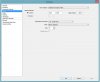
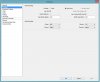
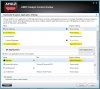
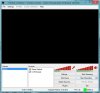
Hello there. I've been using OBS for a while now with no problems. Recently I found out that I can't capture my games anymore. I have tried everything I found on the internet (OBS Forum / Youtube) about the Black Screen with AMD GPU problem. As you can see from the pictures I am running both OBS and WarFrame on my GPU. QSVHelper is set on power saving because if I set it to High Performance OBS ends up with an error. I can't figure out whats the problem. Also compatability mode doesn't work either. My drivers are all up to date (GPU, CPU, DirectX etc.). Can anybody help me out?
I have AMD Radeon R7 M265 2.00GB and Intel Core i7 4700MQ 2.4GHz.
The pictures below are describing the problem.
Also here is the log: https://gist.github.com/86f97a6c67051fd56f61
I have AMD Radeon R7 M265 2.00GB and Intel Core i7 4700MQ 2.4GHz.
The pictures below are describing the problem.
Also here is the log: https://gist.github.com/86f97a6c67051fd56f61