Hello! I have been having major issues on and off for a long time with frame drops, and I have searched the internet over and over trying to find a solution, with little to no luck. I've been experiencing this issue for 2 years now, and it ultimately stopped me from streaming. I have become more than frustrated with it, and I am now determined to figure out the core issue. I have followed many steps that I have seen such as:
-Switching servers
-Streaming to other streaming services
-Lowering bitrate
-I have always been hardwired
-Allowed OBS Studio through my firewall and also forwarded TCP 1935 for RTMP
-Built a new computer with the only same parts being my GPU and HDD/SDD
-Had a new router delivered from my ISP about a year ago
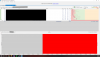
The only thing I haven't done has been contact my ISP about the packet loss, because I knew it would be a headache and hassle. I decided to use PingPlotter as I had saw it on another recent forum. I ran it on a 5 minute test stream, streaming 1080p60fps downscaled to 720p60fps at 3000 bitrate (which I know that my internet can handle because my speedtests average at 300up/10down) and this is what PingPlotter has shown.

I have also included my TwitchTest results (there were times when I was consistently streaming where they were at 5k+ with 100 quality, but now it's just such poor results as I used to see.)

I also included my most recent log that was used for streaming. It's definitely a problem all over the place, but I am trying to determine if this is something totally at fault with my ISP, or something I can troubleshoot. All my hardware is my ISPs (except for my computer of course) so is this 100% their issue? or is there something I can do as well to help?
Thanks in advance! :)
-Switching servers
-Streaming to other streaming services
-Lowering bitrate
-I have always been hardwired
-Allowed OBS Studio through my firewall and also forwarded TCP 1935 for RTMP
-Built a new computer with the only same parts being my GPU and HDD/SDD
-Had a new router delivered from my ISP about a year ago
The only thing I haven't done has been contact my ISP about the packet loss, because I knew it would be a headache and hassle. I decided to use PingPlotter as I had saw it on another recent forum. I ran it on a 5 minute test stream, streaming 1080p60fps downscaled to 720p60fps at 3000 bitrate (which I know that my internet can handle because my speedtests average at 300up/10down) and this is what PingPlotter has shown.
I have also included my TwitchTest results (there were times when I was consistently streaming where they were at 5k+ with 100 quality, but now it's just such poor results as I used to see.)
I also included my most recent log that was used for streaming. It's definitely a problem all over the place, but I am trying to determine if this is something totally at fault with my ISP, or something I can troubleshoot. All my hardware is my ISPs (except for my computer of course) so is this 100% their issue? or is there something I can do as well to help?
Thanks in advance! :)