Question / Help 0kb/s when I start OBS...

Mithrilon

New Member
Hello!

When I start my stream, my kb / s is on 0.And it stays on 0. And I do not know why, I've tried all the solutions I have found on the internet but nothing has helped. I never had the problem before. It came a few weeks ago. Getting really tired of it, no solution works. Just want to start streaming again. But i can't bec the stream shuts down randomly.
 
Post a logfile. We really do need it, to see what's going on. Just upload one from the Help menu, and post the link to it here.
 
On the log file, i see this: Total frames encoded: 0, total frames duplicated: 0 (0.00%)

I don't see anything about the encoder other then zero frames. What encoder are you using?
 
On the log file, i see this: Total frames encoded: 0, total frames duplicated: 0 (0.00%)

I don't see anything about the encoder other then zero frames. What encoder are you using?
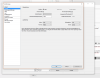
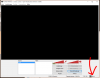
Sry Sam but im a big noob with this its seem to be :D haha but with encoder do u mean this? And my settings is on SWE but i think u can see :D
 

Attachments

  • Untitled-2.png
    Untitled-2.png
    74.7 KB · Views: 28
OBS, Profile, New? from the new profile, set your bit rate, resolution, and test it. There might be something messed up on the settings.

If that don't work, maybe re-install OBS.
 
OBS, Profile, New? from the new profile, set your bit rate, resolution, and test it. There might be something messed up on the settings.

If that don't work, maybe re-install OBS.
I have done that! :/ New profile, new server, reinstalled, other (lower) settings. Nothing work. Other ppl say its the update on obs that messed up for ppl. I have streamed almost about 1 year now with obs with no problems. And now somehow i cant stream anymore.
 
The problem might be something else in the computer preventing connection to server (antivirus, firewall). I guess the encoder don't activate in stream-only mode until connected to server.
 
You may try one or more of the following:
1. switch to a different server in a stream setting
2. turn off antivirus as a test (turn it back on later maybe by adding exception)
3. switch to a different service (twitch, YouTube, hitbox, etc), doing so requires using their own log in.
 
You may try one or more of the following:
1. switch to a different server in a stream setting
2. turn off antivirus as a test (turn it back on later maybe by adding exception)
3. switch to a different service (twitch, YouTube, hitbox, etc), doing so requires using their own log in.
Already done! :( Not working
 
Back
Top