Follow along with the video below to see how to install our site as a web app on your home screen.
Note: This feature may not be available in some browsers.
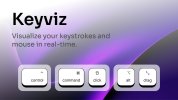
What’s New? Mouse Indicators: Now show clicks and scrolls alongside your cursor. Custom Filters: Per-key control over what is visualized. Press Count: A new bubble-style counter to track your keypresses. ✨ Big Changes Rebuilt with Rust : I started from scratch! The app is now faster, more stable, and acts like a native desktop app. Tiny Footprint: Shrunk the app size down to just ~4MB. Style Backups: You can now export and backup your Kecap styles as .json files.
Improvements #39 pop the context menu by right-clicking on the tray icon 2600c52 ⏸️ pause/resume the visualizer by left-clicking on the tray icon a533d9d ↔️ animated (settings) tab bar cb75da7 Bug Fixes #32 show right-window key shortcuts f4628a1 #38 show non-modifier key combinations 01da6fc