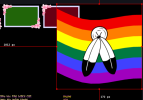
With the option of fixing the flag, it can look like it is hanging from one of the corners of the stream.
Unfortunately, I forgot to discuss aspect ratios when I released the first version.
For now, all flags have a fixed aspect ratio of 3:4 (commonly used for decorative flags). I initially tried to make the AR dynamic, but that didn’t produce good results—especially for flags that have a texture. So for now, I’ve kept it fixed. However, in a later version, I’ll give users the option to change the AR to all common flag ratios: 1:1, 1:2, 2:3, 3:4, 3:5, 5:8, and custom. That way, I can at least guarantee that textures or shapes won’t be deformed on standard aspect ratios.
If you want to try fixing the AR for a flag yourself, I’ve also added comments indicating where you should modify the code (aside from the fragment shader).
PS: On this version, 1.1, you only need to change line 356:
var idxFlag = Number(getParameterByName('num') || '0');
to
var idxFlag = 0; // the Flag id
Yet auto (auto change), fixr (fix right) and fixl (fix left) are above it for convenience if you want to change their behaviour.