OBS
Open Broadcaster Software®️


HDR Configuration
Recording HDR in OBS
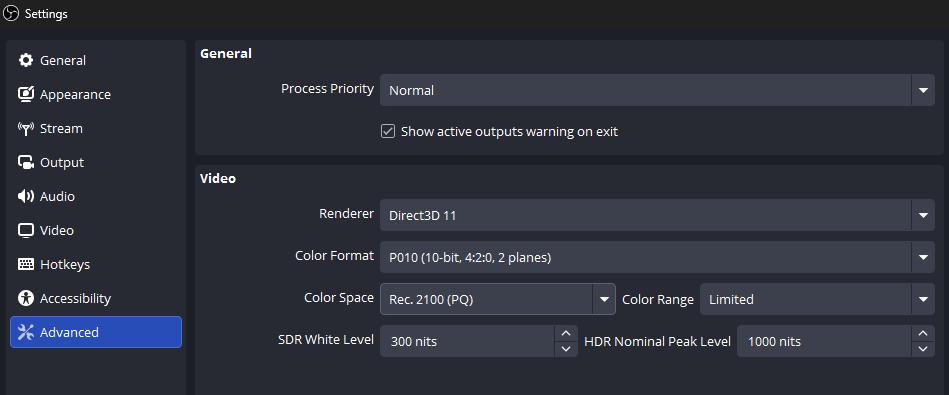
1. Configure OBS video color settings
Open Settings → Advanced and set:
- Color Format:
P010 - Color Space:
Rec. 2100 (PQ) - Color Range:
Partial
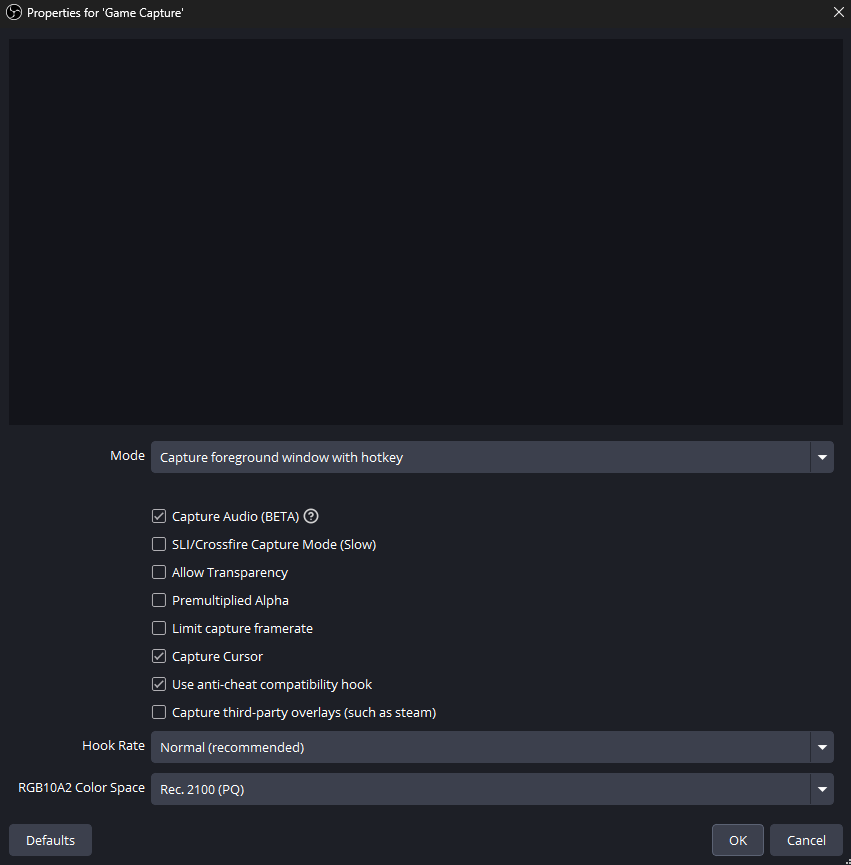
2. Configure Game Capture
Open your Game Capture source properties and set sRGB Color Space to Rec. 2100 (PQ).
3. Configure recording output
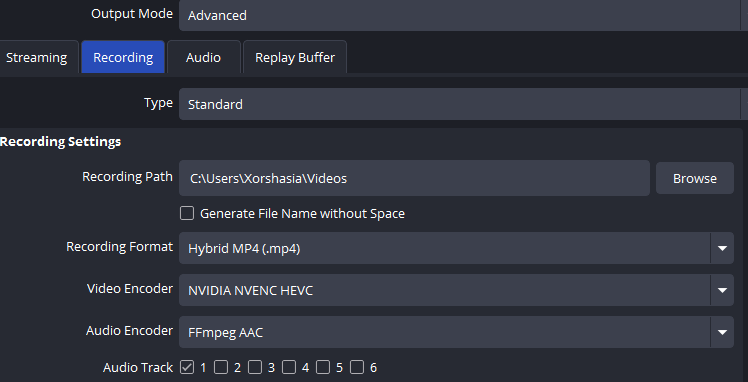
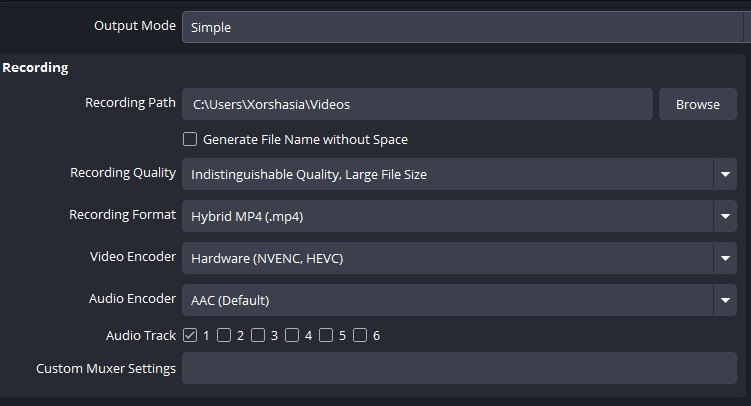
Open Settings → Output → Recording. Use a 10-bit HEVC/H.265 or AV1 encoder; select the Main10 profile if it is available.
Simple Mode
Advanced Mode