Matt Heere
New Member
Hi All,
Logfile for this issue is here: https://gist.github.com/bc36eb7a70050f089c177c71c007362f
Having the same window capture issue as many others. OBS doesn't report any errors, but the contents of my captured window simply aren't there. In this specific case I was playing around with a Word (2016) doc.
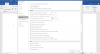
Here's what Word looks like. Note that I have hardware acceleration disabled:

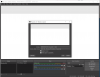
But over in OBS it comes up like this:

Game capture doesn't work any better, although it's different. I get a black screen with game capture.
Window capture does work for Chrome with hardware acceleration disabled. It works reasonably well for other apps too. Makes me wonder if the hardware setting in Office really does what it says.
Thoughts?
Logfile for this issue is here: https://gist.github.com/bc36eb7a70050f089c177c71c007362f
Having the same window capture issue as many others. OBS doesn't report any errors, but the contents of my captured window simply aren't there. In this specific case I was playing around with a Word (2016) doc.
Here's what Word looks like. Note that I have hardware acceleration disabled:
But over in OBS it comes up like this:
Game capture doesn't work any better, although it's different. I get a black screen with game capture.
Window capture does work for Chrome with hardware acceleration disabled. It works reasonably well for other apps too. Makes me wonder if the hardware setting in Office really does what it says.
Thoughts?