Question / Help Would You Kindly?

Joerassick

New Member
Hello, everyone. I've always wanted to make content for YouTube, but never pushed myself to do so. Well, after finishing FF7R, the fire inside has been ignited.

Anyway, I have a an Elgato HD60 Pro, to which my PS4 is connected. I have spent a few days trying to find the perfect combination in settings to fix a single issue. Most of the footage I capture looks great, but there is an issue with stuttering during CGI scenes when the camera zooms and pans quickly. During the recording, my stats stated that there were no missed or skipped frames during encoding. Also, while monitoring GPU usage in task manager, I never saw it go over 20%. My CPU was not being severely taxed either. I have including a link to a test video I did on YouTube, so ya'll can see an example. I don't really think I'll be streaming all too much, so I'm not worried about that aspect. I just want good locally recorded captures. This build is essentially 8 years old (excluding the GPU and SSD), but I can still play current generation games at 1440p with high to very high settings. But the thing is, the only thing my computer will be doing during my playthrough is capturing from the PS4, so I don't know why OBS struggles with the motion when the motion does not stutter on the display the game is being played through.

YouTube test video --> https://www.youtube.com/watch?v=UBFdm8xJpPQ

I have a spent a ton of time testing out different tutorials to no avail, so I know it's been covered in the forums. I just thought maybe someone would have some suggestions.

My computer specs (don't laugh) are as follows:

i5-3570K OC'd to 4.5 GHz
GTX 1070 OC'd to +150 on the core and +400 on the memory
8GB DDR3 HyperX running at 1600 MHz
500GB 860 Evo SSD

I have been thinking about buying my buddie's 4770K, really nice motherboard, 16GB of DDR4 RAM, and CPU water cooler for 200ish dollars. Although his components are also old, I think the 200ish dollars for all of those components would be worth the upgrade in a time where I cannot spent 2000 dollars on a new build.

I appreciate any suggestions or tips ya'll can provide. Thank you.
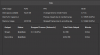
 

Attachments

  • Stats.png
    Stats.png
    8.8 KB · Views: 16
  • Log.txt
    Log.txt
    14.1 KB · Views: 27
Well, a couple of problems in your log. Firstly,
04:27:48.547: output 0: pos={0, 0}, size={2560, 1440}, attached=true, refresh=144, name=Dell S2417DG
04:27:48.547: output 1: pos={2560, 0}, size={2560, 1440}, attached=true, refresh=59, name=ASUS PB278
Running multiple monitors at different refresh rates causes a problem due to a long-standing Windows bug, planned to be fixed sometime later this year or next year, in the Win10 2004 update.

As for the stutter, it isn't being caused by OBS. This would be an issue with the capture card; you may need to reach out to Elgato Support. You might also try recording in Elgato's 4K Capture Utility (what their game capture hd software has transitioned into for the HD60 Pro and above) to see if the same issue occurs... the settings from what I can see in OBS should be fine, just running YV12 color mode shouldn't cause an issue, and 1080p30 capture shouldn't be running into and kind of bandwidth choke on the PCIe bus.
 
Well, a couple of problems in your log. Firstly,

Running multiple monitors at different refresh rates causes a problem due to a long-standing Windows bug, planned to be fixed sometime later this year or next year, in the Win10 2004 update.

As for the stutter, it isn't being caused by OBS. This would be an issue with the capture card; you may need to reach out to Elgato Support. You might also try recording in Elgato's 4K Capture Utility (what their game capture hd software has transitioned into for the HD60 Pro and above) to see if the same issue occurs... the settings from what I can see in OBS should be fine, just running YV12 color mode shouldn't cause an issue, and 1080p30 capture shouldn't be running into and kind of bandwidth choke on the PCIe bus.

Thank you for your response. Do you think setting my Dell's refresh rate to 60 to match my Asus would help with the issue at all? Probably not seeing as I'm only using the ASUS to monitor OBS. The dell is for other stuff like browsing. The same issue happens with Elgato's proprietary software. Ugh. This is annoying. Did you look at the test video? Did you notice some of the stuttering? Its not insane but it throws off the smooth camera work in the CGI cutscenes. I might just end up dealing with it, because I'd like to get my review out sooner than later.
 
Thank you for your response. Do you think setting my Dell's refresh rate to 60 to match my Asus would help with the issue at all? Probably not seeing as I'm only using the ASUS to monitor OBS. The dell is for other stuff like browsing. The same issue happens with Elgato's proprietary software. Ugh. This is annoying. Did you look at the test video? Did you notice some of the stuttering? Its not insane but it throws off the smooth camera work in the CGI cutscenes. I might just end up dealing with it, because I'd like to get my review out sooner than later.
This will occur regardless of if the monitor is being used or not, it's because the desktop compositor is running in the background, and is unable to handle the mismatch cleanly. It regularly will appear as a stutter, slowdown or judder. You'd need to run both monitors at 60hz... from the log, the ASUS is running at 59hz though, so both would need to go to 59 to eliminate the issue.

Yeah, if it's happening with Elgato's own software, it's time to reach out to Elgato. This is a hardware issue, and isn't something OBS can fix.
 
This will occur regardless of if the monitor is being used or not, it's because the desktop compositor is running in the background, and is unable to handle the mismatch cleanly. It regularly will appear as a stutter, slowdown or judder. You'd need to run both monitors at 60hz... from the log, the ASUS is running at 59hz though, so both would need to go to 59 to eliminate the issue.

Yeah, if it's happening with Elgato's own software, it's time to reach out to Elgato. This is a hardware issue, and isn't something OBS can fix.

Thank you. I appreciate your help!
 
So, I discovered that the stutter I experience in the preview window of OBS does not exist after I upload it to YouTube. But I did notice that when I watch the local captures in VLC, there seems to be some tearing and stutter. Not sure what the discrepancy is. I'm thinking it may because one of my monitors uses GSYNC? Not sure.
 
I have the same problem but its with youtube studio livestreaming while screensharing firefox screen for online studies. NOT GAMING. Only one monitor. This began about 4-5 days ago and the stutter does not start until OBS is opened. Before i start the stream, the web browser window border of firefox starts to flicker. I also livestream on facebook without using OBS and the livestream to facebook does not have this issue. The refresh rate has always been 30ps in OBS and i have never changed it. I am unsure why this is happening.
WINDOWS 10
HP DESKTOP
 
So, I discovered that the stutter I experience in the preview window of OBS does not exist after I upload it to YouTube. But I did notice that when I watch the local captures in VLC, there seems to be some tearing and stutter. Not sure what the discrepancy is. I'm thinking it may because one of my monitors uses GSYNC? Not sure.
It could be? If it's ignoring the refresh assignment in favor of gsync, that could trip stuff up. Additionally, Gsync is a monitor-side sync technology; if you're using a capture card, none of the ones currently on the market support gsync, and you WILL get tearing and performance issues. But if you just have a PS4 hooked up to the cap card, that's not a factor.

I have the same problem but its with youtube studio livestreaming while screensharing firefox screen for online studies. NOT GAMING. Only one monitor. This began about 4-5 days ago and the stutter does not start until OBS is opened. Before i start the stream, the web browser window border of firefox starts to flicker. I also livestream on facebook without using OBS and the livestream to facebook does not have this issue. The refresh rate has always been 30ps in OBS and i have never changed it. I am unsure why this is happening.
WINDOWS 10
HP DESKTOP
Your issue is unrelated. Please open your own separate thread, including a logfile from a streaming session at least 30 seconds in length where the issue occurred.
 
It could be? If it's ignoring the refresh assignment in favor of gsync, that could trip stuff up. Additionally, Gsync is a monitor-side sync technology; if you're using a capture card, none of the ones currently on the market support gsync, and you WILL get tearing and performance issues. But if you just have a PS4 hooked up to the cap card, that's not a factor.


Your issue is unrelated. Please open your own separate thread, including a logfile from a streaming session at least 30 seconds in length where the issue occurred.

This makes sense. I just have to remember that whatever stuttering and or tearing I see in the preview window of OBS isn't going to be the end result when it's uploaded to YouTube, as I've already confirmed by uploading a bunch of test clips using different settings. I'm starting to narrow down what methods I'll use. I think I'll probably stick to 1080p @ 60 FPS, NVENC w/ CQP @ 20 and max quality with Lanczos. That seems to be the best balance of quality and file size. I could use larger file sizes, but uploading takes forever and I don't know if YouTube has a max file limit. Even with one 8 minute file being like 900 MB, once I cut and combine footage from an entire playthrough of the game for my review, it's still going to be a very large file size. But I would like to keep my full review an hour at max or under.

My problem is that I am a perfectionist, and I'd really like to use settings that promote max quality, but file size gets out of hand, even though I have the storage for it.

 
Also, one more topic to touch on. I've set my OBS settings to match exactly what the PS4 puts out as a source. I've changed everything from 60 to 59.94 just to match the source signal. Again, my two computer monitors are only used for previewing in OBS (ASUS) and web browisng and such (Dell). Those two monitors are set to 60 hz. My 50 inch TV is what I'm actually playing on. Should my two monitors be set to 59.94 as well or should I just literally use 60 hz everywhere instead of 59.94? I've done some research on the difference between the two as they affected the video industry as standards, but I'm not sure if it matters in my situation. So, technically, I have two preview sources, my TV and the ASUS monitor. Could the stuttering be caused by having tehnically two previews of the outpat at once?
 
Post a new logfile and we can check.

The whole 59.94 thing is a legacy standard catering to analog video that no one actually has to use any more. It's aiming for backward compatibility for devices that literally no longer are being made, and cannot be used without conversion hardware that would automatically handle the changeover from full 60. It's a maddening, useless appendix of a standard that cannot die fast enough, but people keep using it and including it in new hardware because "that's the way we've always done it".
 
Post a new logfile and we can check.

The whole 59.94 thing is a legacy standard catering to analog video that no one actually has to use any more. It's aiming for backward compatibility for devices that literally no longer are being made, and cannot be used without conversion hardware that would automatically handle the changeover from full 60. It's a maddening, useless appendix of a standard that cannot die fast enough, but people keep using it and including it in new hardware because "that's the way we've always done it".
That's pretty much what I gathered, but was still unsure. Here is a new log file after I changed all settings from 59.94 to 60. It just threw me off because everything that is essentially 60 hz reports as 59.94. Even in the log file, all my source video devices report as 59.94.
 

Attachments

Last edited:
Either way, this stuttering is driving me insane. I took a closer look at the uploaded videos and I can see it in them as well. It's never in the same exact spots, but it mostly appears where there is faster motion in the FMV. I guess I can't complain. In-game combat (which is even faster motion) and such doesn't have the problem, at least I haven't seen it. It must be something with the opening FMV of the game, OBS, or my rig because I get absolutely no stutter from the game on my TV. I have performance monitoring tools and such, and everything points to my rig being able to do this without a major hiccup. Plus, I did a test on even the lowest settings in OBS and the stutter is still there in the preview, the rendered file, and the upload. Screams* Maybe the opening FMV isn't a good reference point.
 
Back
Top