

I just recently upgraded to a laptop which can go as high as 1920 x 1080 resolution and I've been having an idea with obs trying to capture my windows, namely my Clip Studio Paint program
Compared to my older laptop,the setting are identical the only difference being that the resolution is higher (The old laptop was 1366 x 768) But for some reason, the window capture cuts off a portion meaning that my whole program is getting gimped and even more so when I try to set up a sub region
I have an image of what this looks like as well.
I also have an image showing what it should look like as well.
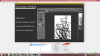
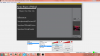
Both pictures have the same settings and same sub regions as well but as you can see one's gimped and the other is fine.
Does anyone have a potential remedy for this cause I want to be able to stream again
Also monitor capture doesn't work I've tried already
Thanks in advanced
Compared to my older laptop,the setting are identical the only difference being that the resolution is higher (The old laptop was 1366 x 768) But for some reason, the window capture cuts off a portion meaning that my whole program is getting gimped and even more so when I try to set up a sub region
I have an image of what this looks like as well.
I also have an image showing what it should look like as well.
Both pictures have the same settings and same sub regions as well but as you can see one's gimped and the other is fine.
Does anyone have a potential remedy for this cause I want to be able to stream again
Also monitor capture doesn't work I've tried already
Thanks in advanced
