

You are using an out of date browser. It may not display this or other websites correctly.
You should upgrade or use an alternative browser.
You should upgrade or use an alternative browser.
Why this in Chroma Key?
- Thread starter wrswaim
- Start date
konsolenritter
Active Member
You have to play with the first three sliders in this dialog to get smooth transitions or crossings. These parameters determin the thresholds for chroma-key to differentiate between foreground and background.
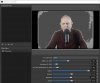
The boxing is sourced by the jpg-mjpeg-mpeg-type compression artifacts from your camera source (the frames reach your computer compressed already). It happens to become this highly visually in case of strong (wrong choosen) thresholds. The same would happen if you make normal color manipulation with extremely high contrasts set.
Not the whole background is masked either cause of different luminance of the green background. The greenbox should be illuminated equally over the whole area in picture, as good as you can.
The boxing is sourced by the jpg-mjpeg-mpeg-type compression artifacts from your camera source (the frames reach your computer compressed already). It happens to become this highly visually in case of strong (wrong choosen) thresholds. The same would happen if you make normal color manipulation with extremely high contrasts set.
Not the whole background is masked either cause of different luminance of the green background. The greenbox should be illuminated equally over the whole area in picture, as good as you can.
Maybe the sunlight comes in at a different angle? Maybe a lightbulb was changed to one with other color temperature? Nothing put in the room that can drop a slight shadow at your green screen?
Probably it is finding a needle in a... logfile :-p to compare before and after logging. There will be lots of differences, maybe one of them indicates the root cause.
If the root cause cannot be found, the only thing to do is make the adjustments and hope that they will last so you won't have to do that every time. (Obviously you can make notes of the old settings in case you feel the need in the future to revert to them.)
Probably it is finding a needle in a... logfile :-p to compare before and after logging. There will be lots of differences, maybe one of them indicates the root cause.
If the root cause cannot be found, the only thing to do is make the adjustments and hope that they will last so you won't have to do that every time. (Obviously you can make notes of the old settings in case you feel the need in the future to revert to them.)
konsolenritter
Active Member
To be honest it should never be annoying to make slight adjustments. Such things like greenscreen seem to be simple nowadays. Thats unfortunately false expectations. It depends alot on your environment and circumstances in
- f-stops,
- shutterspeed,
- gain-structure,
(leading to specific luminance)
- correct white-balance,
- correct color coding,
(all these just belonging to the cameras side),
- three or four parameters determining your lighting conditions in the room,
- diffused light
- direct light surrounding and on the green screen,
- direct light on your subject,
(and something more belonging to the lighting conditions of which light the camera reaches)
Greenscreen methods need live video processing and it needed years in the media and tv world to become right working standards. Personally i'm glad that these things exist today and be thankful about the possibilities, ever reminding the responsibility and charge for setting of these techniques the right way.
Otherwise it would be the expectations to personally fly a Spaceshuttle for myself and moaning about the fact that there was no "Automatic-take-off-Button" that's doing all the hundreds steps of preparation needed before a take-off could happen. Just to be honest... ;-)
- f-stops,
- shutterspeed,
- gain-structure,
(leading to specific luminance)
- correct white-balance,
- correct color coding,
(all these just belonging to the cameras side),
- three or four parameters determining your lighting conditions in the room,
- diffused light
- direct light surrounding and on the green screen,
- direct light on your subject,
(and something more belonging to the lighting conditions of which light the camera reaches)
Greenscreen methods need live video processing and it needed years in the media and tv world to become right working standards. Personally i'm glad that these things exist today and be thankful about the possibilities, ever reminding the responsibility and charge for setting of these techniques the right way.
Otherwise it would be the expectations to personally fly a Spaceshuttle for myself and moaning about the fact that there was no "Automatic-take-off-Button" that's doing all the hundreds steps of preparation needed before a take-off could happen. Just to be honest... ;-)
konsolenritter
Active Member
Interesting. All I know is it worked fine for months and looked normal.
You lucky one. :D
The recording comes out fine [...]
That part i don't understand. If there is heavy boxing as shown in your screenshot it should affect the final recording too?! oO
Maybe the sunlight comes in at a different angle? Maybe a lightbulb was changed to one with other color temperature? Nothing put in the room that can drop a slight shadow at your green screen?
Probably it is finding a needle in a... logfile :-p to compare before and after logging. There will be lots of differences, maybe one of them indicates the root cause.
If the root cause cannot be found, the only thing to do is make the adjustments and hope that they will last so you won't have to do that every time. (Obviously you can make notes of the old settings in case you feel the need in the future to revert to them.)
Hmmm, interesting. I can't think of anything - it has been set for so long where I literally just come in a it's reeady to go with little to no adjustments and I just start recording. Thank you for the help, and will just have to deal with it as/is then.
Thanks!
Walt