Question / Help White or black screen in window capture

ebonyfax

New Member
I get a white screen (or black screen with Chrome) when using Window Capture.
Here's the caveat: It's been working fine for months. Abruptly the problem occurred.
(See attached images).
• I'm using a PC (not laptop)
• Tried opening OBS as administrator
• Tried removing OBS and downloading it again
Log file: https://obsproject.com/logs/54wF1t6m2L5XtgSc
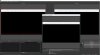
 

Attachments

  • OBS with chrome.jpg
    OBS with chrome.jpg
    146.7 KB · Views: 110
  • OBS with firefox.jpg
    OBS with firefox.jpg
    109.3 KB · Views: 117
No. I'll try that. (I don't know how to do it). The problem occurs with both Firefox and Chrome.
Also,
A thunderstorm knocked out the power. When it came back on, OBS worked fine.
Next day, the issue resurfaced.
I turned off the breaker box simulating a power outage. When it came back on, OBS worked fine.
Next day, the issue resurfaced.
I tried a hard shut down (turned off the computer using the on/off switch). When it came back on, OBS worked fine.
We'll see tomorrow if the issue resurfaces. It likely will resurface.
 
Last edited:
I'm having the same issue, but for all window capture (not just browsers). It was working fine until yesterday so I'm guessing something has updated, but I don't know what...
 
If it is affecting all windows and not just browsers, it's not the same issue. Make a new thread and post a log.
 
Back
Top