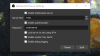
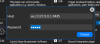
When I start OBS, it crashes, saying:
WebSocket Server failure
- TCP port 4444 may currently be in use elsewhere on this system, possibly by another application. Try setting a different TCP port in the WebSocket server settings, or stop any application that could be using this port.
- An unknown network error happened on your system. Try again by changing settings, restarting OBS or restarting your system.
I didn't see a similar post on here about this, but sometimes it loads if I click OK on the WebSocket Server failure, as long as I click it BEFORE it pops up saying it crashed.
Any ideas?
Thanks :)
Here's the crash log:
https://obsproject.com/logs/oiEXiWBmSlkzZpuF
WebSocket Server failure
- TCP port 4444 may currently be in use elsewhere on this system, possibly by another application. Try setting a different TCP port in the WebSocket server settings, or stop any application that could be using this port.
- An unknown network error happened on your system. Try again by changing settings, restarting OBS or restarting your system.
I didn't see a similar post on here about this, but sometimes it loads if I click OK on the WebSocket Server failure, as long as I click it BEFORE it pops up saying it crashed.
Any ideas?
Thanks :)
Here's the crash log:
https://obsproject.com/logs/oiEXiWBmSlkzZpuF