22:13:03.491: CPU Name: Intel(R) Core(TM) i5-6300U CPU @ 2.40GHz
22:13:03.491: CPU Speed: 2496MHz
22:13:03.491: Physical Cores: 2, Logical Cores: 4
22:13:03.491: Physical Memory: 8047MB Total, 3606MB Free
22:13:03.491: Windows Version: 10.0 Build 19041 (release: 2004; revision: 985; 64-bit)
22:13:03.491: Running as administrator: false
22:13:03.491: Aero is Enabled (Aero is always on for windows 8 and above)
22:13:03.491: Windows 10 Gaming Features:
22:13:03.491: Game DVR: On
22:13:03.494: Sec. Software Status:
22:13:03.496: Microsoft Defender Antivirus: enabled (AV)
22:13:03.499: Windows Firewall: enabled (FW)
22:13:03.505: Current Date/Time: 2021-05-25, 22:13:03
22:13:03.506: Browser Hardware Acceleration: true
22:13:03.506: Portable mode: false
22:13:03.935: OBS 26.1.1 (64-bit, windows)
22:13:03.935: ---------------------------------
22:13:03.982: ---------------------------------
22:13:03.982: audio settings reset:
22:13:03.982: samples per sec: 48000
22:13:03.982: speakers: 2
22:13:03.983: ---------------------------------
22:13:03.983: Initializing D3D11...
22:13:03.983: Available Video Adapters:
22:13:03.986: Adapter 0: Intel(R) HD Graphics 520
22:13:03.987: Dedicated VRAM: 134217728
22:13:03.987: Shared VRAM: 4219195392
22:13:03.987: PCI ID: 8086:1916
22:13:03.987: Driver Version: 27.20.100.8729
22:13:03.987: output 0: pos={0, 0}, size={1920, 1080}, attached=true, refresh=60, name=
22:13:03.987: Adapter 1: Intel(R) HD Graphics 520
22:13:03.987: Dedicated VRAM: 134217728
22:13:03.987: Shared VRAM: 4219195392
22:13:03.987: PCI ID: 8086:1916
22:13:03.987: Driver Version: 27.20.100.8729
22:13:03.990: Loading up D3D11 on adapter Intel(R) HD Graphics 520 (0)
22:13:04.032: D3D11 loaded successfully, feature level used: b000
22:13:04.032: DXGI increase maximum frame latency success
22:13:04.666: ---------------------------------
22:13:04.666: video settings reset:
22:13:04.666: base resolution: 1024x768
22:13:04.666: output resolution: 960x720
22:13:04.666: downscale filter: Bicubic
22:13:04.666: fps: 30/1
22:13:04.666: format: NV12
22:13:04.666: YUV mode: 709/Partial
22:13:04.666: NV12 texture support not available
22:13:04.667: Audio monitoring device:
22:13:04.667: name: Speaker/HP (Realtek High Definition Audio)
22:13:04.667: id: {0.0.0.00000000}.{80a75f2c-8755-4f49-8370-5da366387126}
22:13:04.669: ---------------------------------
22:13:04.672: [Audio Monitor] loaded version 0.7.1
22:13:04.704: [CoreAudio encoder]: CoreAudio AAC encoder not installed on the system or couldn't be loaded
22:13:04.706: Failed to load 'en-US' text for module: 'decklink-captions.dll'
22:13:04.707: Failed to load 'en-US' text for module: 'decklink-ouput-ui.dll'
22:13:04.753: [AMF] Unable to load 'amfrt64.dll', error code 126.
22:13:04.755: [AMF] AMF Test failed due to one or more errors.
22:13:04.755: Failed to initialize module 'enc-amf.dll'
22:13:04.791: [obs-browser]: Version 2.9.1
22:13:04.791: [obs-browser]: CEF Version 75.1.16+g16a67c4+chromium-75.0.3770.100
22:13:04.791: [obs-browser]: Blacklisted device detected, disabling browser source hardware acceleration.
22:13:04.799: [obs-ndi] hello ! (version 4.9.0)
22:13:04.800: [obs-ndi] Trying 'C:\Program Files\NDI.tv\NDI 4 Tools\Runtime'
22:13:04.800: [obs-ndi] Found NDI library at 'C:/Program Files/NDI.tv/NDI 4 Tools/Runtime/Processing.NDI.Lib.x64.dll'
22:13:04.806: [obs-ndi] NDI runtime loaded successfully
22:13:04.823: [obs-ndi] NDI library initialized successfully (NDI SDK WIN64 06:28:12 Apr 9 2021 4.6.3.0)
22:13:04.938: VLC found, VLC video source enabled
22:13:04.947: A DeckLink iterator could not be created. The DeckLink drivers may not be installed
22:13:04.949: No blackmagic support
22:13:04.956: ---------------------------------
22:13:04.956: Loaded Modules:
22:13:04.956: win-wasapi.dll
22:13:04.956: win-mf.dll
22:13:04.956: win-dshow.dll
22:13:04.956: win-decklink.dll
22:13:04.956: win-capture.dll
22:13:04.957: vlc-video.dll
22:13:04.957: virtual-cam-filter.dll
22:13:04.957: text-freetype2.dll
22:13:04.957: rtmp-services.dll
22:13:04.957: obs-x264.dll
22:13:04.957: obs-vst.dll
22:13:04.957: obs-transitions.dll
22:13:04.957: obs-text.dll
22:13:04.957: obs-qsv11.dll
22:13:04.957: obs-outputs.dll
22:13:04.957: obs-ndi.dll
22:13:04.957: obs-filters.dll
22:13:04.957: obs-ffmpeg.dll
22:13:04.957: obs-browser.dll
22:13:04.957: obs-asio.dll
22:13:04.957: image-source.dll
22:13:04.957: frontend-tools.dll
22:13:04.957: enc-amf.dll
22:13:04.957: decklink-ouput-ui.dll
22:13:04.957: decklink-captions.dll
22:13:04.957: coreaudio-encoder.dll
22:13:04.957: audio-monitor.dll
22:13:04.957: ---------------------------------
22:13:04.957: ==== Startup complete ===============================================
22:13:04.995: Switched to Preview/Program mode
22:13:04.995: ------------------------------------------------
22:13:05.017: All scene data cleared
22:13:05.017: ------------------------------------------------
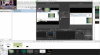
22:13:05.050: [window-capture: 'Window Capture'] update settings:
22:13:05.050: executable: javaw.exe
22:13:05.050: method selected: Automatic //Probably dont have recognized the method
22:13:05.050: method chosen: BitBlt //This method only shows black screen
22:13:05.050:
22:13:05.053: Switched to scene 'Scene'
22:13:05.063: ------------------------------------------------
22:13:05.063: Loaded scenes:
22:13:05.063: - scene 'Scene':
22:13:05.063: - source: 'Window Capture' (window_capture)
22:13:05.063: ------------------------------------------------
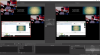
22:15:12.404: [window-capture: 'Window Capture'] update settings:
22:15:12.404: executable: javaw.exe
22:15:12.404: method selected: WGC
22:15:12.404: method chosen: WGC // This method shows something but only the text
22:15:12.404: