JaddotWuzHere
New Member
So I was recording Minecraft with OBS, and I chose the base canvas and output scaled resolution as 1920x1080. When I recorded my game, however, some of the graphics are pixelated, and it's not sharp. I'm not talking about the video being blurry, though that might be the same thing, I'm saying the graphics aren't sharp and clean.

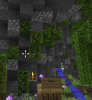
^ For example, the textures from far away aren't very clear, and some of the other YouTube videos I saw have graphics that are very clean and sharp, while mine isn't the best.
Are there any ideas on why this is happening and how I can fix it?
Here's the log file I have:
^ For example, the textures from far away aren't very clear, and some of the other YouTube videos I saw have graphics that are very clean and sharp, while mine isn't the best.
Are there any ideas on why this is happening and how I can fix it?
Here's the log file I have: