Question / Help Video / In-Game FPS

Lash1er

New Member
So I used to stream with OBS(original) same sort of settings if not exact to what I have now with Studio, I used to be able to stream rainbow six siege pretty well, high enough FPS for the game to feel smooth and the stream always looked great, however, with OBS Studio, as soon as I open the program I lose about 10-20 FPS in-game.

Solutions?

I haven't changed anything within the PC and my internet is quite a beast, especially for streaming. I'm just unsure what I could do to solve this issue.
 
14:53:06.790: ┃ ┣download_frame: min=0 ms, median=0.002 ms, max=459.853 ms, 99th percentile=13.998 ms
It's likely either the pci-e mode of the video card (it should be in x16 mode) or the video card's drivers causing your issue.
 
It's likely either the pci-e mode of the video card (it should be in x16 mode) or the video card's drivers causing your issue.
Is this something I can change in OBS to enable x16? It's odd though because nothing has changed since I used OBS original
 
It's not something that OBS has ANY control of.

It's a hardware level thing.
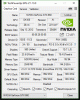
Check the current mode with gpu-z
 
It's not something that OBS has ANY control of.

It's a hardware level thing.
Check the current mode with gpu-z
Not sure what you mean by "Check the current mode with gpu-z" I could try Googling all this but I feel it's easier and frankly, quicker to ask you so I hope you don't mind me asking a follow on question... I am currently doing an NVIDIA Update... Whether that'll help or not.
 
I did just moments before running the program, download and install the latest nvidia driver update via the control panel on desktop, didn't realise there was one ready.
 

Attachments

  • 1.gif
    1.gif
    25.7 KB · Views: 31
Back
Top