Video Capture Device not displaying... black screen!!!

LisaP

New Member
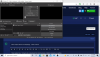
Total newbie here. Trying to set up livestream for church services. Must've messed up a setting. This happens regardless of whether I am using my camera connected through HDMI, or the laptop . Help?
 

Attachments

  • Capture.PNG
    Capture.PNG
    185 KB · Views: 21
Your screenshot doesn’t provide any information.
  • Are you sure you’ve chosen the right device under capture devices?
  • You say you’ve plugged your camera in using HDMI. What kind of capture card do you have to capture the HDMI signal? The HDMI ports on computers are oneway, output only. It won’t see your camera.
 

And just in case you meant taking HDMI output of camera and plugging that into HDMI port on laptop - that won't work... both are output ports. To use HDMI out of camera (higher resolution than USB2 port on (older) camera... it depends if newer camera with USB3 port), you need a HDMI capture device, which is then USB connected to PC
 
Back
Top