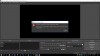
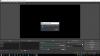
So when I try to record It comes up with "Starting the output failed. Please check logs for details.
Note: If you are using the NVENC or AMD encoders, make sure your video drivers are up to date
========================================================================================
Also I got the OBS Studio
Log: https://gist.github.com/58b72d618465a2287ae01040f6f38965
But the thing is i got NVENC and it is updated, i restarted it and tryed to record it but still the same message poped up.
And my OBS is up to date also
But then I noticed in the logs that "
Required module function 'obs_module_load' in module '../../obs-plugins/64bit/libcef.dll' not found, loading of module failed
21:20:56.663: Required module function 'obs_module_load' in module '../../obs-plugins/64bit/libEGL.dll' not found, loading of module failed
21:20:56.664: Required module function 'obs_module_load' in module '../../obs-plugins/64bit/libGLESv2.dll' not found, loading of module failed
21:20:56.664: Failed to load 'en-US' text for module: 'obs-browser.dll' "
Which i serched but didnt find anything, also it said
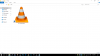
"Couldn't find VLC installation, VLC video source disabled"
But I have VLC, and also it says "[NVENC encoder: 'simple_h264_recording'] Failed to open NVENC codec: Generic error in an external library"
I tried everything! Anyone got any answers?
-Dragon
Note: If you are using the NVENC or AMD encoders, make sure your video drivers are up to date
========================================================================================
Also I got the OBS Studio
Log: https://gist.github.com/58b72d618465a2287ae01040f6f38965
But the thing is i got NVENC and it is updated, i restarted it and tryed to record it but still the same message poped up.
And my OBS is up to date also
But then I noticed in the logs that "
Required module function 'obs_module_load' in module '../../obs-plugins/64bit/libcef.dll' not found, loading of module failed
21:20:56.663: Required module function 'obs_module_load' in module '../../obs-plugins/64bit/libEGL.dll' not found, loading of module failed
21:20:56.664: Required module function 'obs_module_load' in module '../../obs-plugins/64bit/libGLESv2.dll' not found, loading of module failed
21:20:56.664: Failed to load 'en-US' text for module: 'obs-browser.dll' "
Which i serched but didnt find anything, also it said
"Couldn't find VLC installation, VLC video source disabled"
But I have VLC, and also it says "[NVENC encoder: 'simple_h264_recording'] Failed to open NVENC codec: Generic error in an external library"
I tried everything! Anyone got any answers?
-Dragon