Hi there!
So I've scoured the forums and couldn't find a fix to this issue though i did find multiple posts regarding the same issue just none of the fixes worked for me.
I'm currently attempted to record two separate tracks of audio in OBS studio. One for desktop audio and in game audio and one for microphone audio.
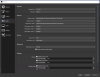
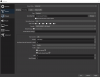
My current settings are:
Desktop audio set to track 1
Mic/Aux set to track 2
Desktop audio in the settings is set to Headset Earphone because that's where I'm playing sound through.
Mic/Aux is currently set to Headset Microphone.
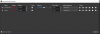
Under advanced audio I currently just have it set to Monitor off for both but have also attempted to use every configuration of those two settings separately.
Sidenote I have also attempted to create a different source for mic audio capture and attempted it that way.
I've tried configuring it everyway that all forum posts have suggested and still get the same issue.
I have it recording format MKV and then set to automatically remux to MP4.
When I bring it to adobe premiere in MP4 it has two separate audio tracks and one is empty.
I am able to get it to work for either Desktop or Mic but never at the same time unless recording on the same audio track.
Help!
So I've scoured the forums and couldn't find a fix to this issue though i did find multiple posts regarding the same issue just none of the fixes worked for me.
I'm currently attempted to record two separate tracks of audio in OBS studio. One for desktop audio and in game audio and one for microphone audio.
My current settings are:
Desktop audio set to track 1
Mic/Aux set to track 2
Desktop audio in the settings is set to Headset Earphone because that's where I'm playing sound through.
Mic/Aux is currently set to Headset Microphone.
Under advanced audio I currently just have it set to Monitor off for both but have also attempted to use every configuration of those two settings separately.
Sidenote I have also attempted to create a different source for mic audio capture and attempted it that way.
I've tried configuring it everyway that all forum posts have suggested and still get the same issue.
I have it recording format MKV and then set to automatically remux to MP4.
When I bring it to adobe premiere in MP4 it has two separate audio tracks and one is empty.
I am able to get it to work for either Desktop or Mic but never at the same time unless recording on the same audio track.
Help!