berionskywall
New Member
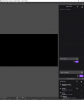
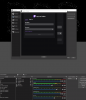
All docks related to twitch have a visual glitch where a smaller version of themselves appears and sort of shrinks up into the left-hand corner. It is very sporadic and it can happen when I put my mouse cursor over them, or it can happen if my mouse is in another area of the screen. It doesn't seem consistent, and it makes it hard to use these features. This happens on the window that comes up when you connect your account to Twitch as well. So it seems like all things Twitch are doing this.
It should be noted that these glitches only occur on my external monitors - I have two externals and an ultrawide main display. If I change it so that either of the external monitors are my main display, the issue still occurs on them, and not on my main monitor. I've updated Windows 10, and my graphics Nvidia graphics drivers, and OBS.
Additionally, during my last stream the docks stopped updating information from Twitch. The chatlog, stream information, twitch stats, and twitch activity feed were all stuck in the past. My stream didn't cut out or anything like that, thankfully.
Attached is a picture of the issue, and the log file for that stream.
The log file wouldn't fit in the message, and I couldn't upload directly from OBS because the log file is neither the current nor the last log file - so I attached it. I saw advice on this website that said to post a link... I don't know if this is right but, here's a link to that attachment if that helps at all https://obsproject.com/forum/attach....64261/?hash=9dd956545687b4fbbb46bcc845b092cb
It should be noted that these glitches only occur on my external monitors - I have two externals and an ultrawide main display. If I change it so that either of the external monitors are my main display, the issue still occurs on them, and not on my main monitor. I've updated Windows 10, and my graphics Nvidia graphics drivers, and OBS.
Additionally, during my last stream the docks stopped updating information from Twitch. The chatlog, stream information, twitch stats, and twitch activity feed were all stuck in the past. My stream didn't cut out or anything like that, thankfully.
Attached is a picture of the issue, and the log file for that stream.
The log file wouldn't fit in the message, and I couldn't upload directly from OBS because the log file is neither the current nor the last log file - so I attached it. I saw advice on this website that said to post a link... I don't know if this is right but, here's a link to that attachment if that helps at all https://obsproject.com/forum/attach....64261/?hash=9dd956545687b4fbbb46bcc845b092cb