StrapperJoe
New Member
Hello,
This is AWESOME software and appreciate the hard work that all the contributors are doing...
I have an issue that I hope someone can look at and maybe enhancing the OBS software. My setup is as follows:
3 UltraGear 32" OLED 4K monitors set up as triple screen
MSI GeForce RTX 5090 VENTUS 3X OC 32g
NVidia Surround
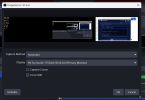
When I configure OBS to video capture my Assetto Corsa EVO driving session like the below

and you can see that OBS sees's all 3 screens (above). When I click the "Start Recording" button

I get the following error

Would it be possible for the software to be able to handle this screen resolution. It looks like the tool recognizes all three screens in the preview.
Below is the URL of the log file.... errors are at the bottom of the log file.
I would love to be able to video my sessions... I have not tried streaming yet but will look at that. Also, If you decide that this warrants fixing, I will be happy to test your iteration of changes till we get it working.
I appreciate everyone's hard work.
Joe C.
This is AWESOME software and appreciate the hard work that all the contributors are doing...
I have an issue that I hope someone can look at and maybe enhancing the OBS software. My setup is as follows:
3 UltraGear 32" OLED 4K monitors set up as triple screen
MSI GeForce RTX 5090 VENTUS 3X OC 32g
NVidia Surround
When I configure OBS to video capture my Assetto Corsa EVO driving session like the below
and you can see that OBS sees's all 3 screens (above). When I click the "Start Recording" button
I get the following error
Would it be possible for the software to be able to handle this screen resolution. It looks like the tool recognizes all three screens in the preview.
Below is the URL of the log file.... errors are at the bottom of the log file.
I would love to be able to video my sessions... I have not tried streaming yet but will look at that. Also, If you decide that this warrants fixing, I will be happy to test your iteration of changes till we get it working.
I appreciate everyone's hard work.
Joe C.