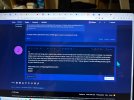
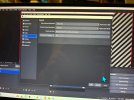
I use the USB HDMI Video Capture device to capture TV programs. On the TV screen, I see subtitles imbedded in the program (in different language than in the program). In the OBS settings for video, I also see the same screen and subtitles, as on the TV. However, in the OBS main screen, those subtitles are not shown., and, therefore, I cannot record them. Is there a way in OBS to capture a TV program exactly as it is broadcasting, with the subtitles? (I do not want to generate a close captured text from the audio, I need to capture a TV screen exactly how it is broadcasting, with pre-set subtitles)
You are using an out of date browser. It may not display this or other websites correctly.
You should upgrade or use an alternative browser.
You should upgrade or use an alternative browser.
Subtitles not shown in main window
- Thread starter mmzm
- Start date
Could you please provide a little bit more detail on what you are doing? Maybe a screenshot of the settings window with correct results and a screenshot of the main screen where subtitles disappeared? Maybe you can post a log, here's how...
Thank you for the reply. I'm waiting now for the same or a similar TV program to make a printshot. But it may be, that I just didn't configure correctly the size of the window capturing in the main screen, which led to truncating the subtitles on the bottom of the screen. I will update later.
Yes, it was my mistake in not setting correctly the frame for the main screen video capturing, that caused the truncation of the subtitles on the bottom. Thank you much for your reply, as it led me to look at the issue, trying to reproduce it and capture the screen, which helped to solve it.
I guessed something like that. Glad it's solved now! 8)that caused the truncation of the subtitles on the bottom.
gracjanski
New Member
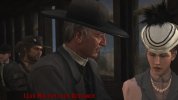
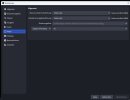
I think I have a similar problem, but I dont understand it. I am playing Red Dead Redemption with a resolution of 2560x1440. I changed the 2 resolutions in the options, because I dont want any 1080p pictures. But now the screenshots look as if my original resolution of the game is much bigger and they show only a part of the game.
In addition I have the feeling it doesnt show subtitles, but maybe they are only cut off.
So frustrating, Bandicam isnt working on Red Dead Redemption and I am losing so much time with that.
In addition I have the feeling it doesnt show subtitles, but maybe they are only cut off.
So frustrating, Bandicam isnt working on Red Dead Redemption and I am losing so much time with that.
Attachments
gracjanski
New Member
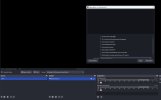
oh no ... you need to adjust the screen correctly in the main view:
so stupid. need to play the first hours of RDR again to capture everything correctly
Not capturing screen correctly
I am trying to use OBS to record on my MacBook Air M1 running on 11.2 big sur. When I put display capture, it only captures the top left part of the screen instead of the whole screen. Any way to fix this?
obsproject.com
so stupid. need to play the first hours of RDR again to capture everything correctly
Hi,
I problems with not being able to capture the subtitles. I've tried changing the resolution in the video option in settings. I am using the display capture option and trying to record a show on either Tubitv.com or Youtube.com. I'm able to see the subtitles on the screen, but for some reason they aren't being recorded. Can someone please help me figure out what I'm doing wrong? I've tried to import screenshots for your reference, but can't seem to reduce the file size lower than 1 mb per photo. . I'm also including the last Log File for your reference as well.
Thanks!
JCjapan
I problems with not being able to capture the subtitles. I've tried changing the resolution in the video option in settings. I am using the display capture option and trying to record a show on either Tubitv.com or Youtube.com. I'm able to see the subtitles on the screen, but for some reason they aren't being recorded. Can someone please help me figure out what I'm doing wrong? I've tried to import screenshots for your reference, but can't seem to reduce the file size lower than 1 mb per photo. . I'm also including the last Log File for your reference as well.
Thanks!
JCjapan